Deployments
Every model you publish to a Flowable environment — a process, a case, a form, a decision table, an AI agent, a data object, and so on — arrives as part of a deployment. The Deployments view is the operator's window onto those deployments: it lets you browse what has been deployed to the environment, drill into the individual definitions each deployment contains, and remove deployments that are no longer needed. It is the read-and-clean-up counterpart to publishing, which is done from Flowable Design.
Open it from Maintenance → Deployments in the sidebar. Viewing deployments requires the view
definitions permission (hub:definition:general:read).
Choosing a deployment type
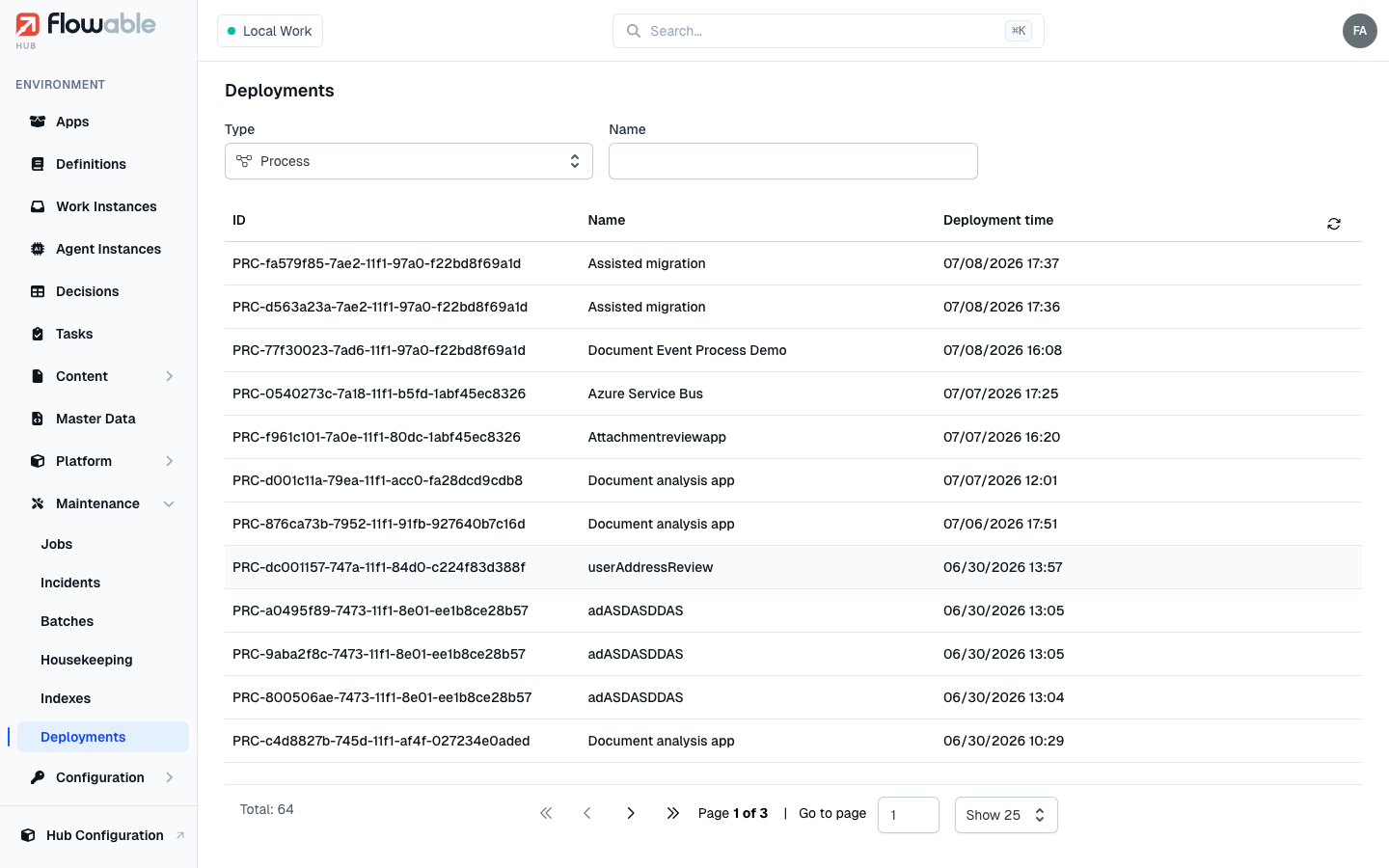
Deployments are grouped by the kind of artefact they carry, so the view always shows one deployment type at a time. A Type selector at the top of the list switches between them; it defaults to Process. The available types are:
- App — an application package that bundles other models together (only shown if you can read apps).
- Process (BPMN) and Case (CMMN)
- Decisions (DMN)
- Form
- Event (event registry)
- Template
- Service (service registry)
- Data Object
- Content
- Action
- Agent
- Policy
- Platform
Deployment list
For the selected type the list shows each deployment with its ID, Name and Deployment time (newest first). Alongside the type selector you can filter by Name and, in a multi-tenant environment, narrow the results to a single tenant. Click a row to open the deployment.
Deployment details
The detail view has two tabs.
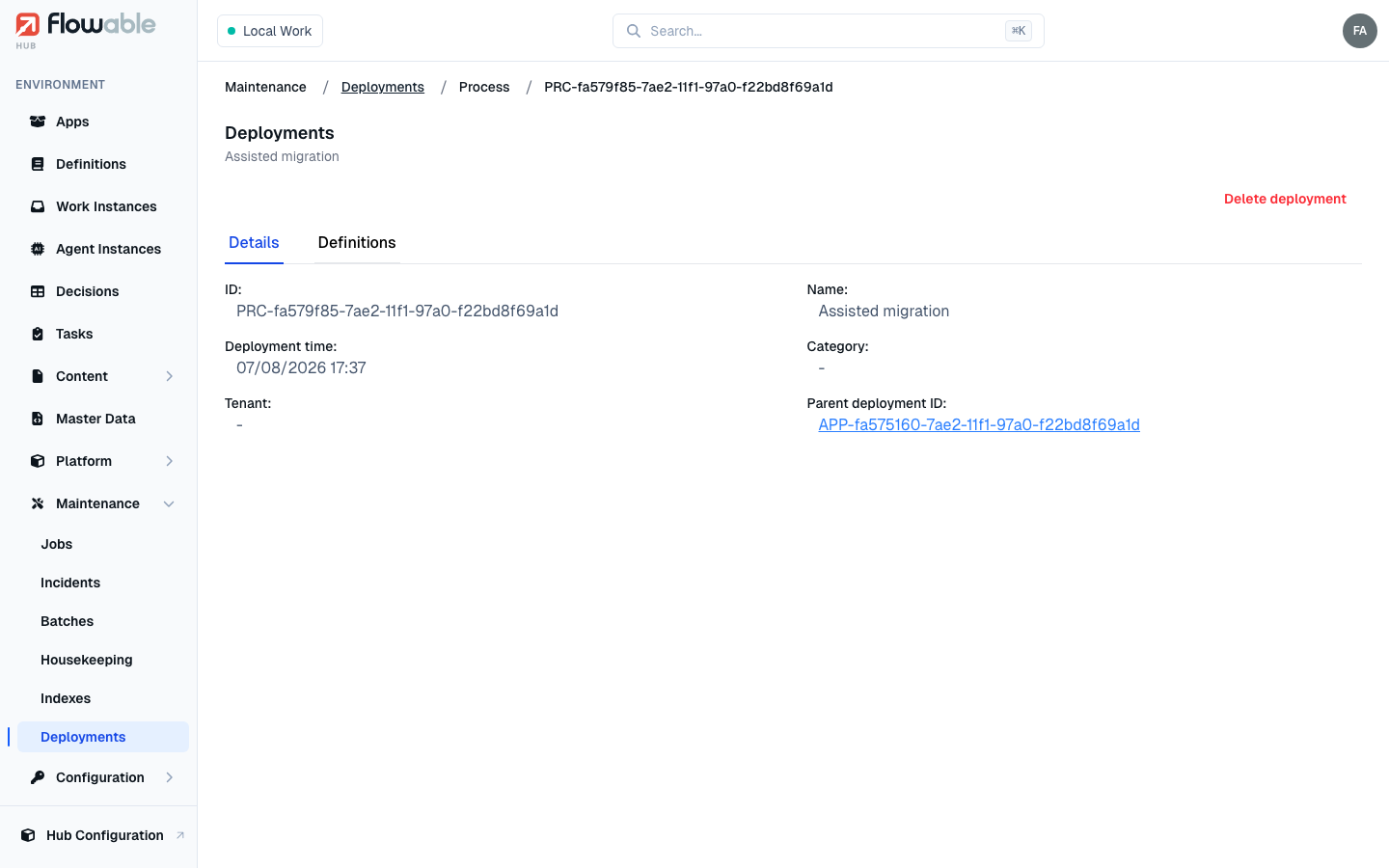
- Details shows the deployment's ID, Name, Deployment time, Category and Tenant. When a deployment was created as part of an app, a Parent deployment link takes you up to the app deployment it belongs to.
- Definitions lists everything the deployment contains — each definition's ID, Name, Key and Version — and links straight through to the corresponding definition detail page. Deployment types that carry more than one kind of model expose a secondary model type selector so you can switch between the sub-lists. For example a Decisions deployment separates Decision Tables from Decision Services, a Data Object deployment separates Data Objects, Data Object Schemas and Master Data, an Agent deployment separates Agents from Knowledge Bases, a Form deployment separates Forms from Custom Components, and a Template deployment separates Templates from their Template Variations.
Deleting a deployment
If you have the delete definitions permission (hub:definition:general:delete, or
hub:definition:app:delete for apps), the detail view offers a Delete deployment action. It removes
just this deployment and asks you to confirm first, because any runtime instances that still reference it
will no longer resolve their model.
App deployments additionally offer Delete all app artefacts and versions, which removes the app deployment together with every version and artefact it ever produced. This is irreversible, so it carries a stronger confirmation — use it only when you are decommissioning an application entirely.
For large-scale cleanup of completed instances rather than the definitions themselves, use Housekeeping instead.