Apps
In Flowable an app is the deployable unit that bundles together the models that make up a solution — processes, cases, forms, decisions, pages and more. When an app is published from Design it is deployed to a runtime environment, where Hub gives you a real-time view of everything that is running. Apps are usually the best place to start a session in Hub: from an app you can reach the definitions it deploys and, through them, the instances they produce.
App list
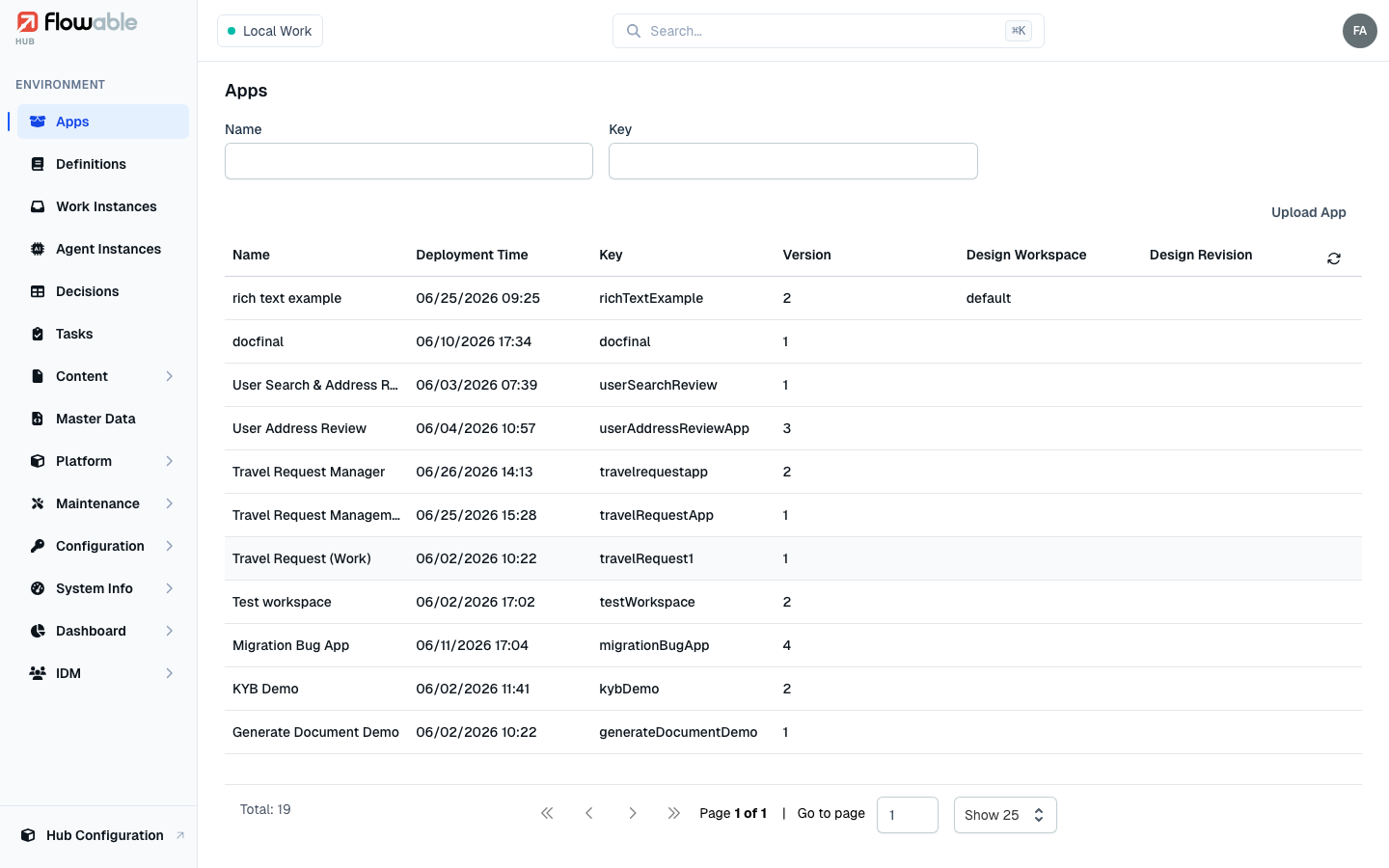
The Apps page lists every app deployed to the active environment, showing only the latest version of each. For every app you see its Name, Creation Time, Key, Version and — when it was published from Design — the originating Design Workspace and Design Revision. Columns are sortable (newest first by default). Use the Name and Key filters at the top to narrow the list, and, in a multi-tenant environment, the tenant picker.
Uploading an app
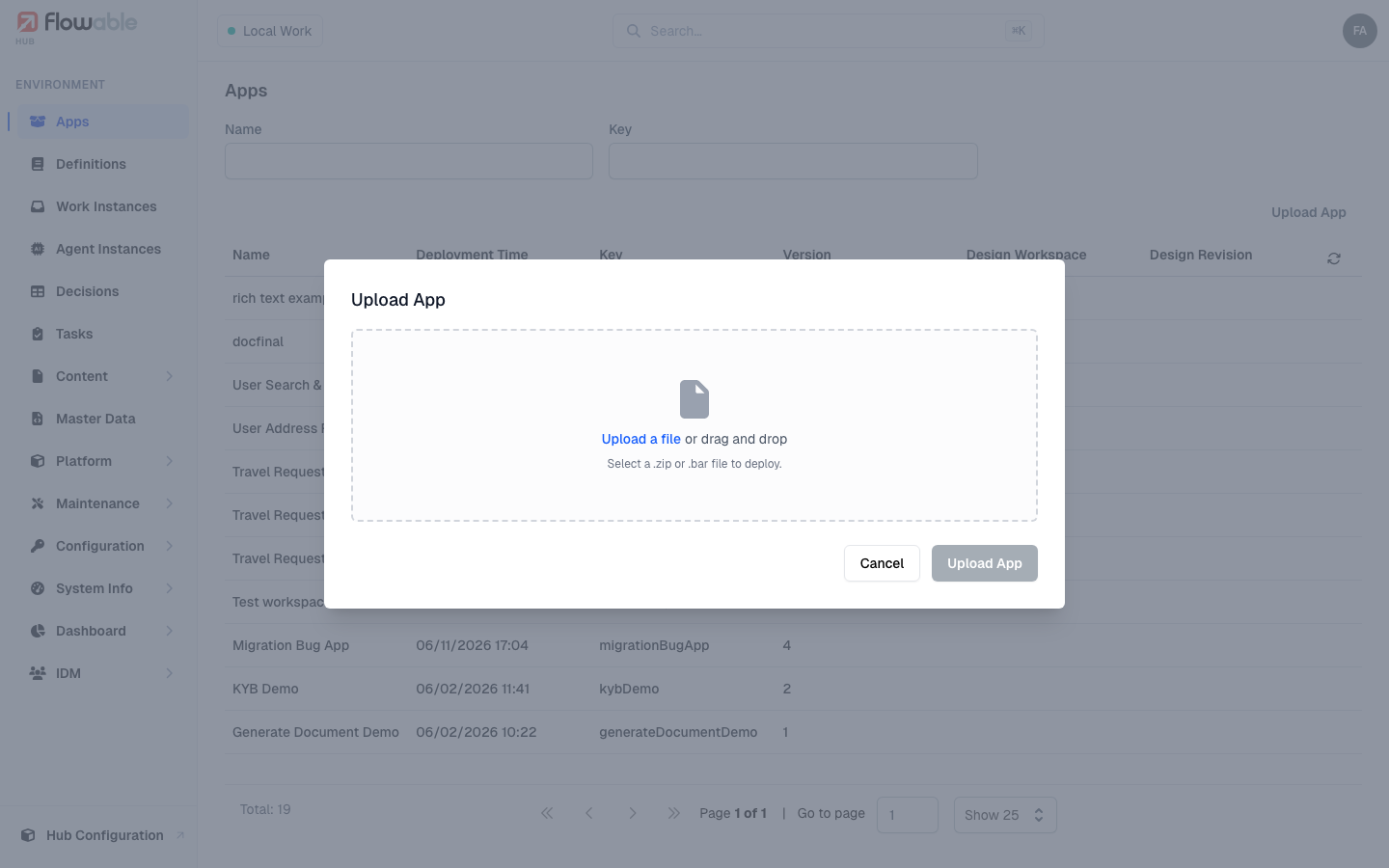
If you have the create apps permission (hub:definition:app:create), the Upload App action in the
top-right corner deploys an app straight to the environment. Select the app archive — a .zip or .bar produced
by Design or a build pipeline — and Hub deploys it, confirming with "App deployed successfully" (or reporting an
error inline if the archive is rejected).
App details
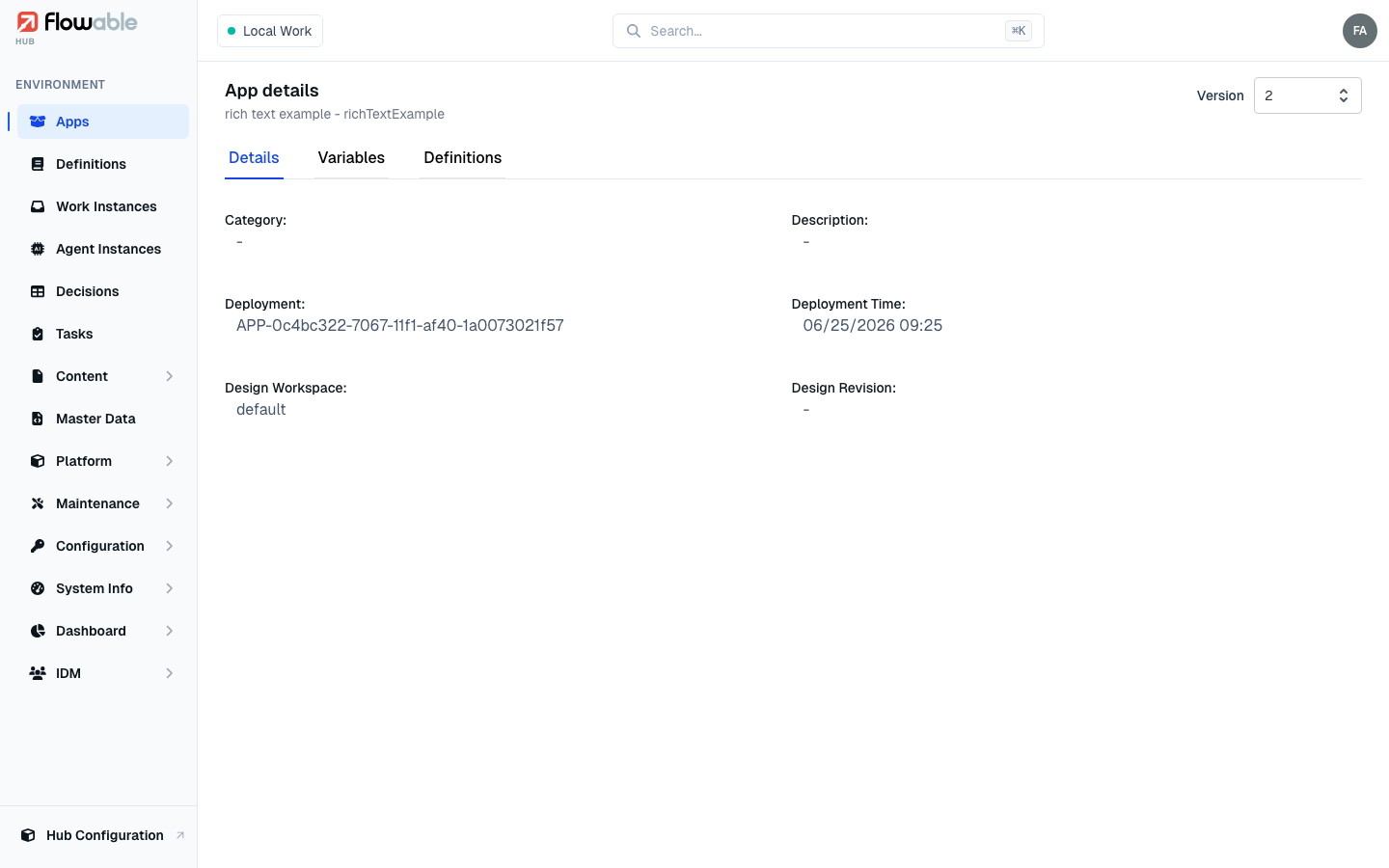
Click an app to open its detail view. A Version selector in the header lets you switch between deployed versions of the app. The view is organized into tabs:
- Details — the app's category and description, the deployment it produced and when, and the design workspace and revision it came from.
- Variables — variables scoped to the app itself. With the app-variable permission
(
hub:definition:app:variable:write) you can add, edit and delete them here. - Definitions — every model the app's deployment contains. Filter by model type and click a row (each shows its ID, Name, Type and Key) to open the corresponding definition.
Deleting an app
If you have the delete apps permission (hub:definition:app:delete), the detail view offers two removal actions
in the header, each behind a confirmation:
- Delete deployment removes just the currently selected version's deployment.
- Delete all app artefacts and versions removes the app entirely — every version and every artefact it ever produced. This cannot be undone, so use it only when decommissioning the application.
You can also browse and remove deployments of every type from the Maintenance → Deployments view.