Work Instances
A work instance is a running or completed execution of a definition — a process instance (BPMN) or a case instance (CMMN). The Work Instances view is the operational heart of Hub: it lets you find any instance, inspect every detail of its execution, and intervene when something needs attention.
The instance detail view is also the busiest crossroads in Hub — from it you can reach the instance's definition, tasks, sub-processes, decisions, forms, content and jobs. If you have not yet read Navigating Hub, it explains how this drill-down model ties the whole application together.
Instance list
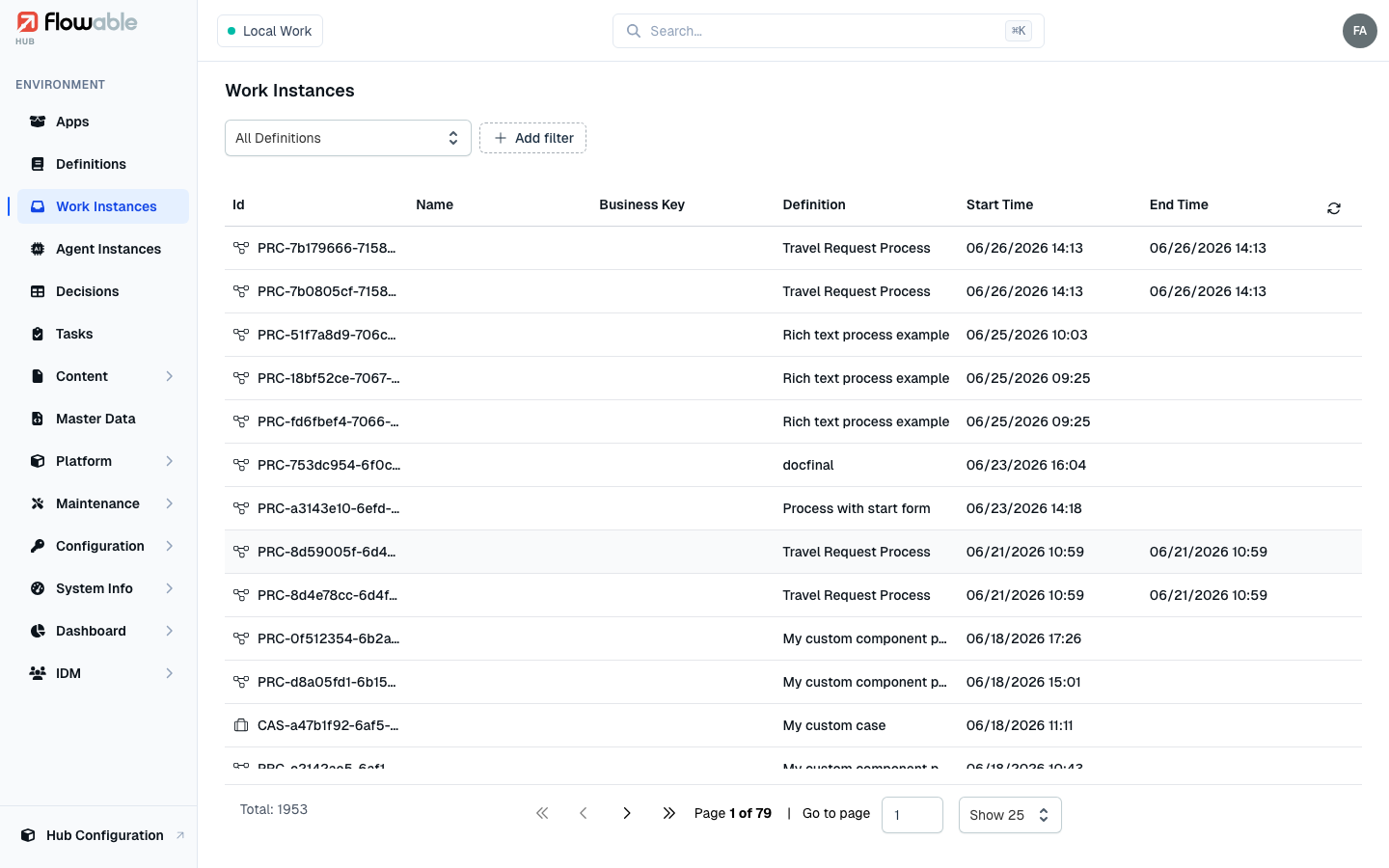
The list shows all process and case instances in the environment, each with its Id (with a process or case
icon; PRC/CAS prefixes), Name, Business Key, Definition, Start Time and End Time. Use the
Definition selector to focus on one definition, the Status filter (Any / Active / Completed) to separate
running from finished work, and further filters for instance ID, business key, name, Type (process or case),
root or parent scope, and started/ended date ranges. A running instance opens in its runtime view; a finished one
opens in its historic view.
Instance details
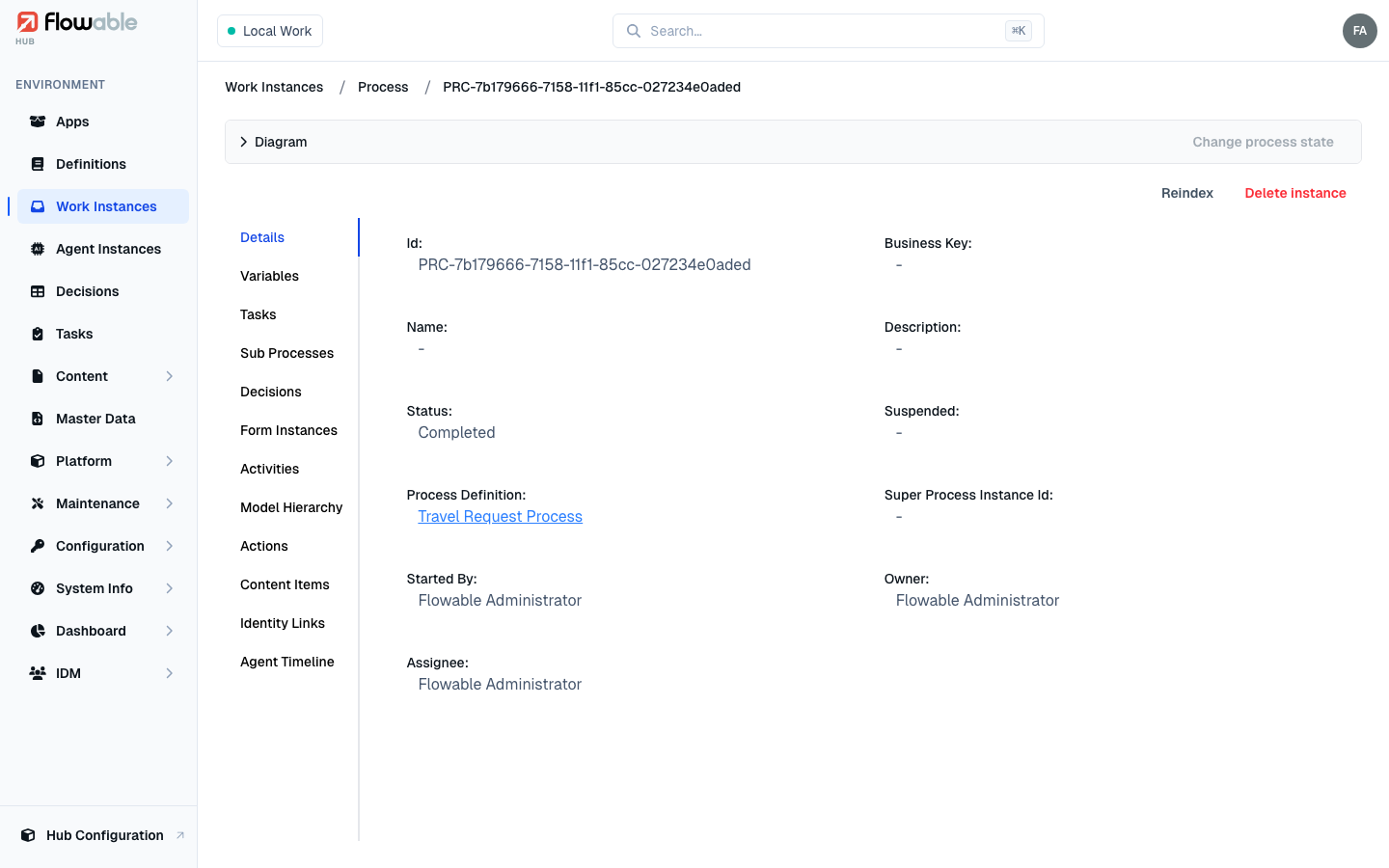
Click an instance to open its detail view. For processes and cases the top shows a collapsible Diagram panel with the executed path highlighted; the header actions let you operate on the instance. Below, a set of tabs gives a complete picture of the execution.
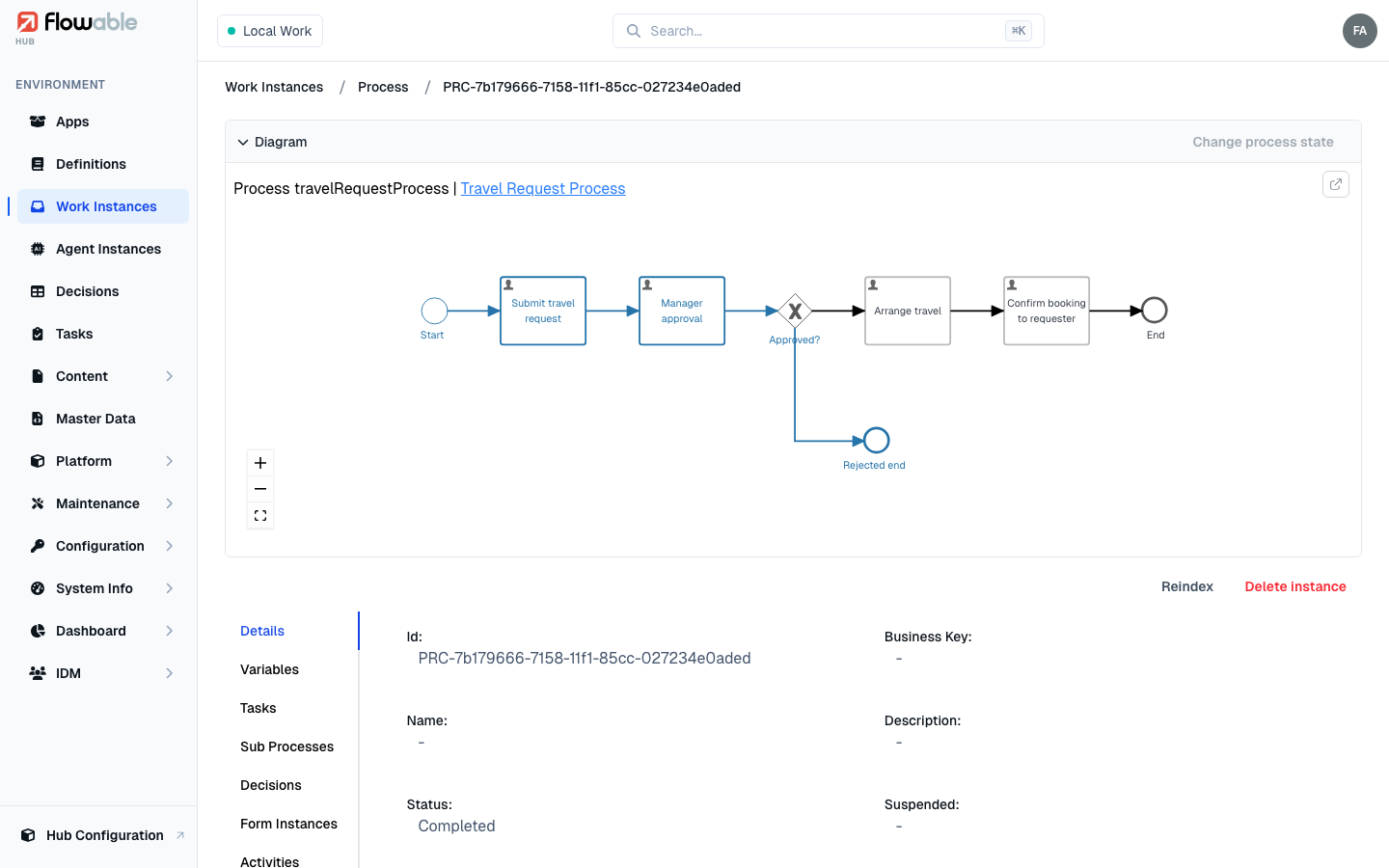
Diagram
Expand the Diagram panel to see the BPMN or CMMN model for the instance. You can zoom and pan, follow the link to the underlying definition, and — for a running instance — select nodes to change its state (see below).
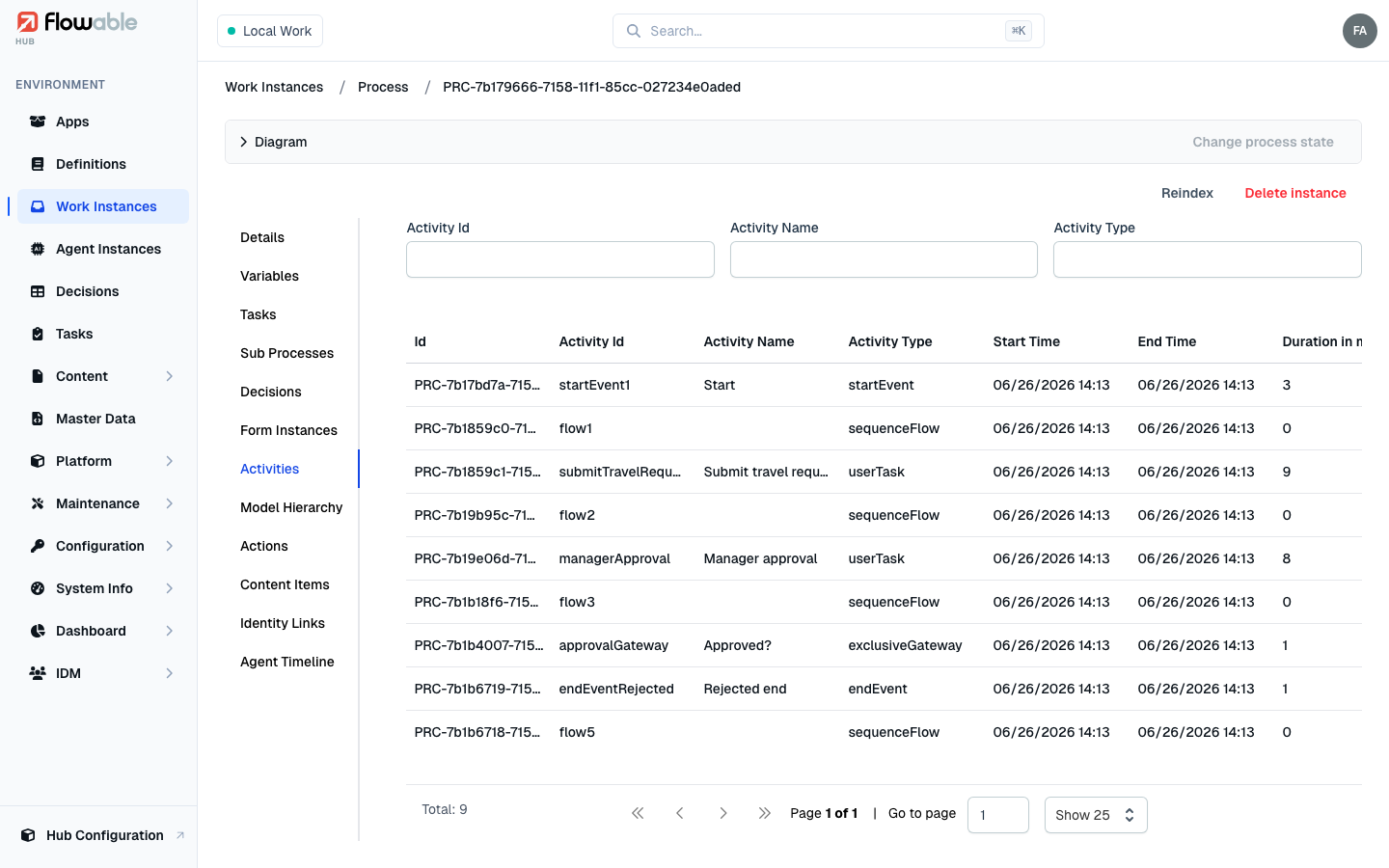
Tabs
Which tabs appear depends on whether the instance is a process or a case and whether it is still running. The full set is:
- Details — key identifiers, status, timestamps, the assignee/owner, and a link to the originating definition.
- Variables — the instance's variables. The table is editable: with the variable permission
(
hub:instance:work:variable:write) you can add, change and remove variables, which is invaluable when nudging a stuck instance. A Local Variables toggle limits the view to variables scoped to a specific task, execution or plan item. - Tasks — the tasks belonging to the instance; click one to open its Task detail.
- Sub Processes and, for cases, Sub Cases — child instances started by this one.
- Jobs — the instance's background jobs (running instances only).
- Events — event subscriptions the instance is waiting on (running instances only).
- Decisions — DMN decisions executed during the instance.
- Executions — for a running process, its execution tree, useful for tracing concurrent paths.
- Activities (process) / Plan Items (case) — the steps that have executed or are active.
- Form Instances — forms submitted for the instance, including the captured data.
- Actions — action instances that have run.
- Content Items — documents and content attached to the instance.
- Model Hierarchy — how this instance fits into the broader instance hierarchy.
- Identity Links — users and groups associated with the instance.
- Agent Timeline — when AI agents participate, a timeline of their activity.

Operating on an instance
The header actions let you intervene, each gated by its own permission and, where relevant, by whether the instance is still running:
- Suspend instance / Activate instance — pause or resume a running process instance
(
hub:instance:work:change-state). - Terminate instance — stop a running instance for good (
hub:instance:work:terminate). - Migrate instance / Migrate historic instance — move the instance onto a different definition version
(
hub:instance:work:migrate); see Migration. Disabled when there is no other version. - Reindex — refresh the instance in the search index (
hub:cluster:reindex). - Delete instance — permanently remove the instance (
hub:instance:work:delete); you can record a delete reason for the audit trail.
Changing process state (token move)
For a running process, the Diagram panel lets you move the execution directly. Select the activity a token
should leave and the activity it should resume at; once your selection describes a valid move, the Change
process state button becomes available and, after a confirmation, repositions the tokens
(hub:instance:work:change-state).
The order in which you select nodes does not matter, and if the source has no token nothing happens.
Changing case state (plan items)
For a running case, selecting a plan item in the diagram offers the actions that make sense for its current
state — Activate plan item, Move to available state, Terminate plan item, and Add / Remove wait
for repetition — so you can steer a case just as precisely as a process (also
hub:instance:work:change-state).
Migrating instances
To move many instances at once, migration is driven from the Definitions view via Migrate definition instances, which migrates all running instances of a version with a guided activity mapping. See the dedicated Migration guide for the full walkthrough. For a one-off, surgical change to a single instance, the Change process state token move described above is often the more direct tool.