Content Items
A content item is a document or file managed by the content engine and associated with the work running in the environment — an uploaded attachment, a generated PDF, a file produced by a service task, or a folder that groups other items.
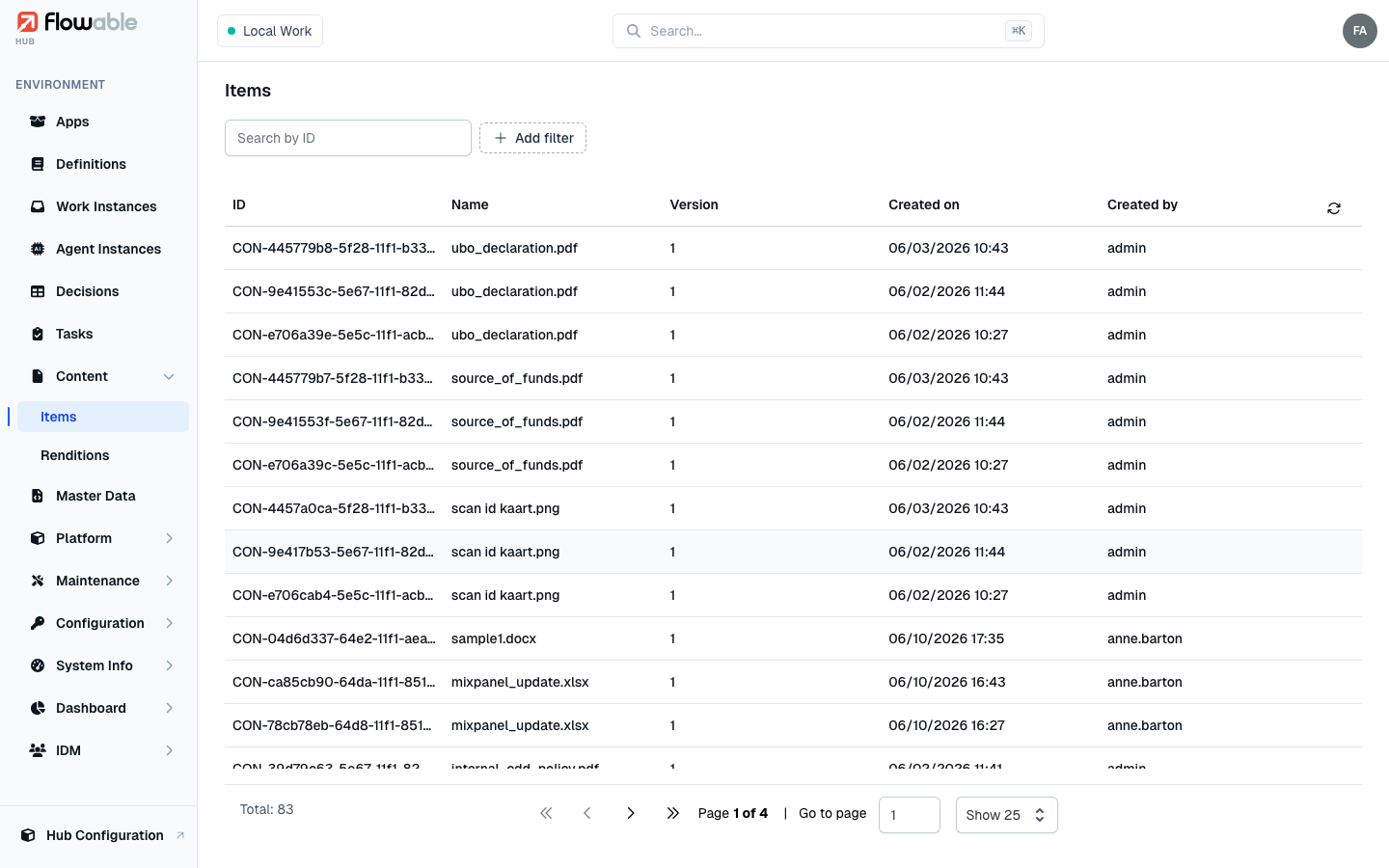
Content item list
The Content Items view lists the content stored in the environment, each with its ID, Name, Version, Created on and Created by. Filter by ID, name, scope or process-instance ID and scope type, and use Show only parent folders to browse the folder structure rather than every individual file.
Content item details
Click a content item to open its detail view. The tabs adapt to what the item is:
- A file shows a Preview of the document, its Details (name, version, mime type, size, the task or instance it belongs to, its definition, storage location and timestamps), a Metadata tab, a Versions tab, a Renditions tab (alternative representations such as a PDF or thumbnail — see Renditions), and the raw Index Document.
- A folder shows its Children, its Details, and the Index Document.
Two actions are available on a file: Download retrieves the original, and Reindex refreshes just this item
in the search index (requires the hub:cluster:reindex permission).
Content items also appear contextually on the Content Items tab of a Work Instance or a Task, showing the documents attached to that specific instance or task.