Incidents
An incident records a moment when a monitored signal in the environment crossed a threshold — work that ran too slowly, or a queue that filled up. Incidents are the environment's early-warning list: the Health dashboard summarises them (its slow-job incidents advice comes straight from here), and this view is where you investigate the detail.
Incident list
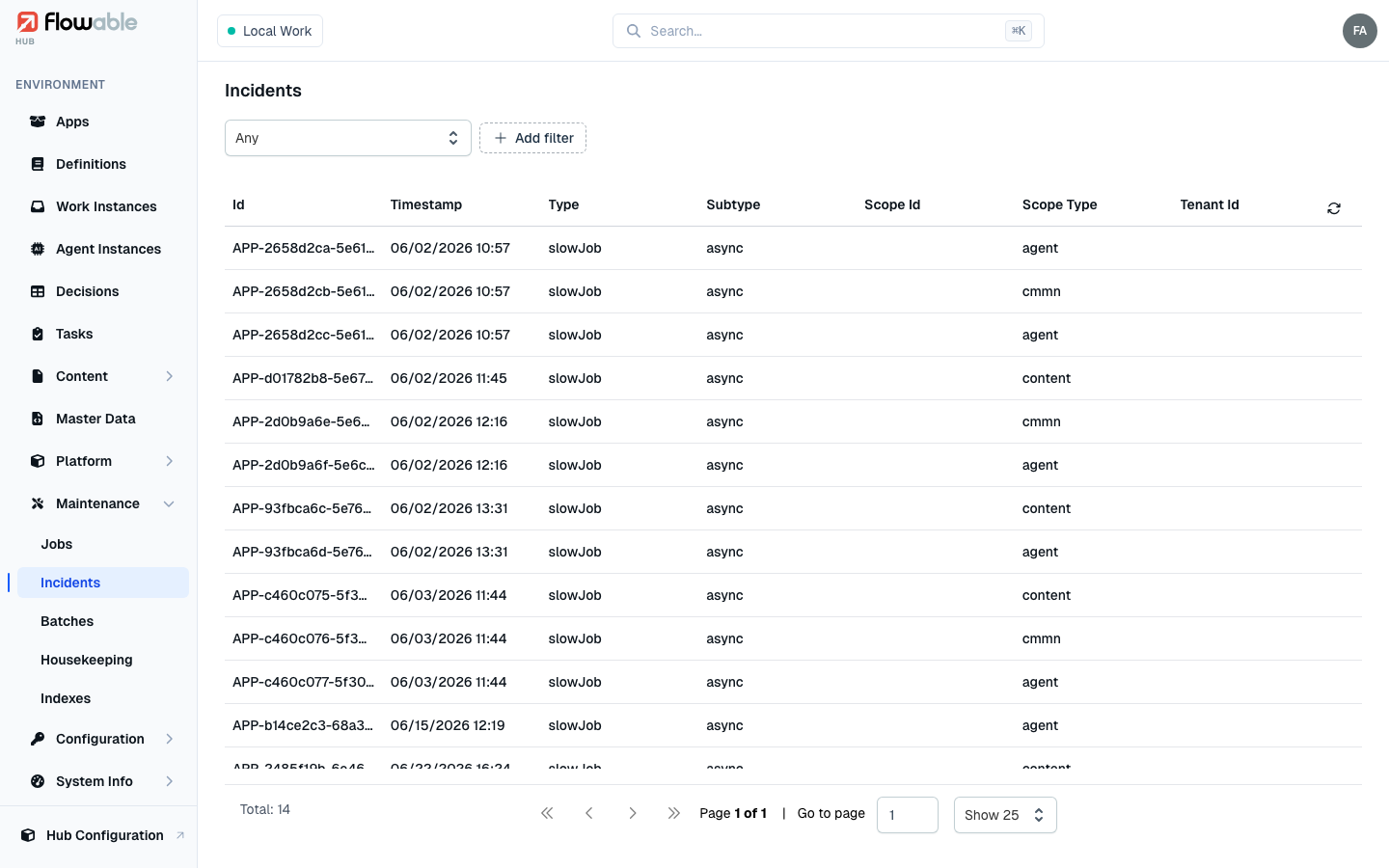
The list shows every incident across the environment, each with its Id, Timestamp, Type, Sub Type and the Scope Id / Scope Type it relates to. Filter by Type to focus on one class of problem — the types are:
- Slow asynchronous job and Slow indexing job — a job took longer than its configured threshold.
- Async job queue full and Indexing job queue full — an executor's queue reached capacity, meaning work is arriving faster than it can be processed.
- Slow REST service and Slow Script service — an outbound call or script exceeded its time threshold.
You can also filter by ID, by root or scope identifiers, and by when the incident happened.
Incident details
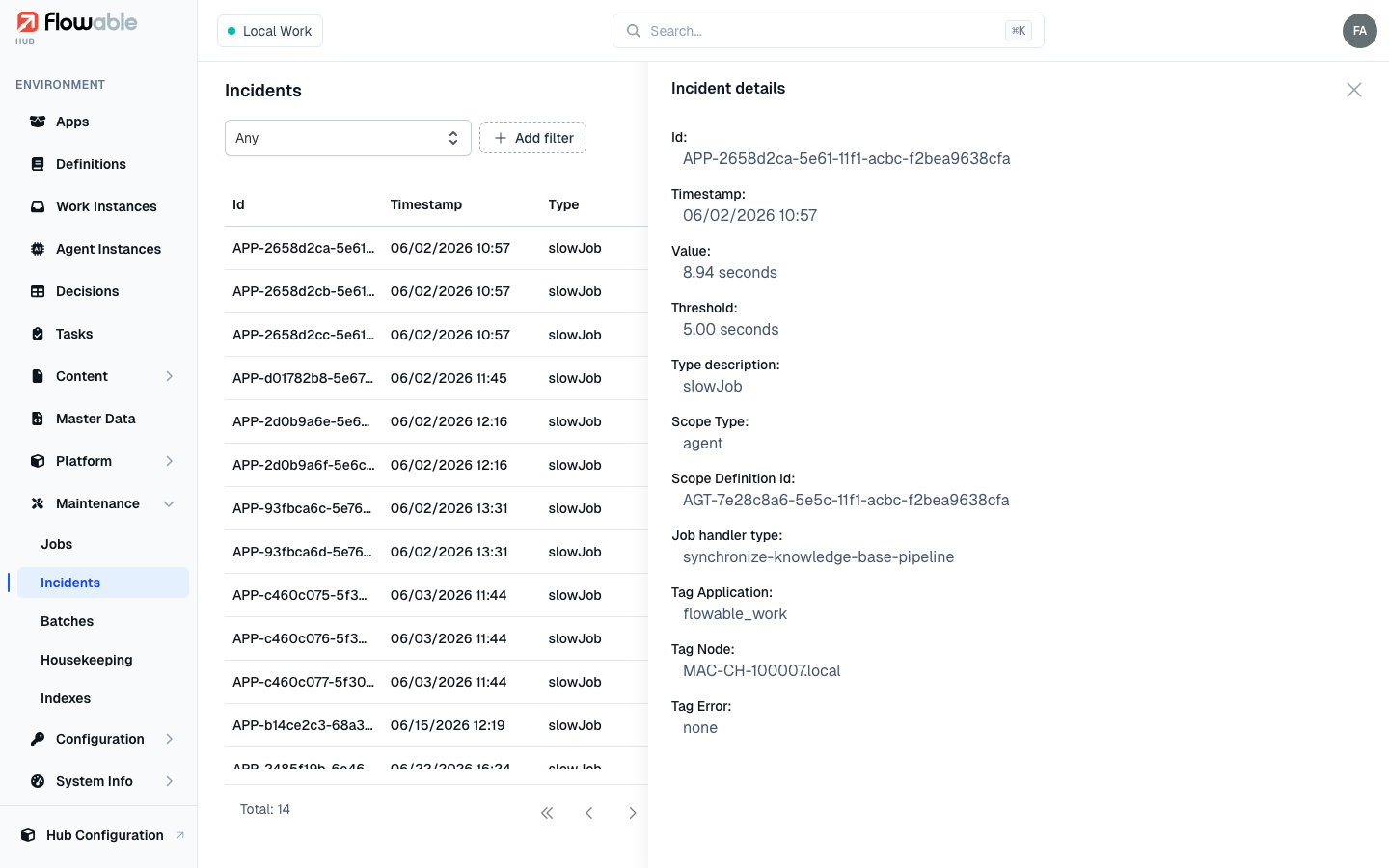
Click an incident to open a side panel with its detail. Every incident shows the measured Value and the Threshold it exceeded (both in seconds), its Type, and the Scope Type and Scope Definition it belongs to. Depending on the incident it then shows either the message and stack trace of the failing work, or the job handler type and the environment tags (application, node, error) that locate where it happened — enough to move from "something is slow" to the exact step and cause.
Acting on incidents
The Incidents view is read-only — it reports symptoms rather than offering a fix button, because the remedy depends on the cause. Typically you:
- Open the incident and read its type, value and scope to see what was slow or full and where.
- Address the underlying cause — tune or scale the async/indexing executors for a queue-full or slow-job incident (see System Info → Job Info), or fix the slow REST/script integration.
- If a specific job is stuck as a result, recover it from the Jobs view.
Incidents are historical records of threshold breaches; they clear on their own as new measurements come in below the threshold, so a shrinking incident rate is the sign your fix worked.