Blank space
The Blank space component adds horizontal spacing between form elements within the same row. Use it to create visual gaps in your form layout without adding visible separators.
Blank spaces only affect horizontal layout. When the form switches to a responsive vertical layout (e.g., on smaller screens or in narrow containers like sidebars), blank spaces are automatically removed and have no visual effect.
Usage
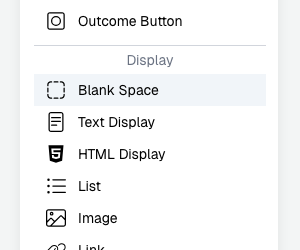
In the form editor, drag a Blank space from the Display palette group into a row between other components. The blank space occupies grid columns, pushing adjacent elements apart. You can resize it by dragging its edges to control the amount of spacing.
Responsive behavior
When the viewport is wide enough for a multi-column layout, the blank space creates a horizontal gap between elements. When the layout stacks vertically (responsive mode), the blank space is suppressed and elements appear directly below each other without extra vertical spacing.