Using Variable Extractors
Overview
Data in Flowable is often structured in objects and arrays. When searching for data, the search index needs to be optimized to query this data efficiently. Variable extractors allow you to extract specific values from variables and map them into custom fields in the search index, making them available for search, filtering, and sorting.
Creating a Variable Extractor in Design
To create a variable extractor, navigate to the Other tab in Flowable Design and select the Variable Extractor filter. Click Create and provide a name and key for the new model.
The variable extractor editor shows:
- Source index: the index to extend (e.g. Case instances, Process instances, Tasks, Work instances)
- Variable extractors tab: define extraction rules that map variable values to custom index fields
- Full text variables tab: define variables whose values should be included in full-text search
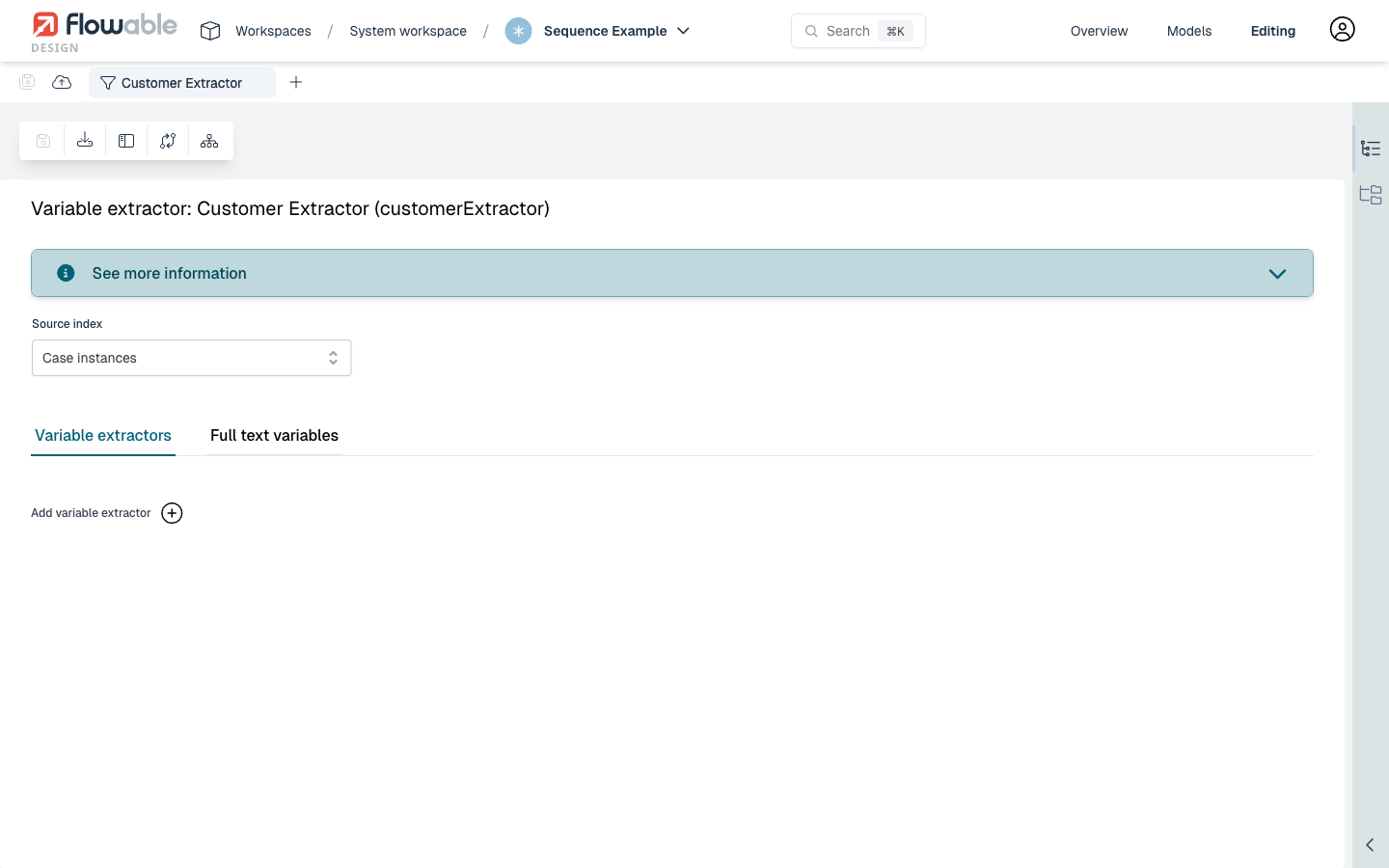
Adding a Variable Extractor Rule
Click Add variable extractor to define a new extraction rule. Each rule has the following fields:
- Path: an optional JSON path expression to extract a nested value from a JSON variable (e.g.
address.city) - To: the name of the custom field in the search index where the extracted value is stored (required)
- Type: the data type used for mapping (e.g. String, Integer, Boolean, Date)
- Transform 2026.1.0+: an optional expression applied to the extracted value before it is indexed. The extracted value is available as
value, for example${value.toUpperCase()}. - Filter mode: Basic or Advanced. In Basic mode, you specify:
- Definition key: the process or case definition key to scope the extractor to
- Variable name: the name of the variable to extract from
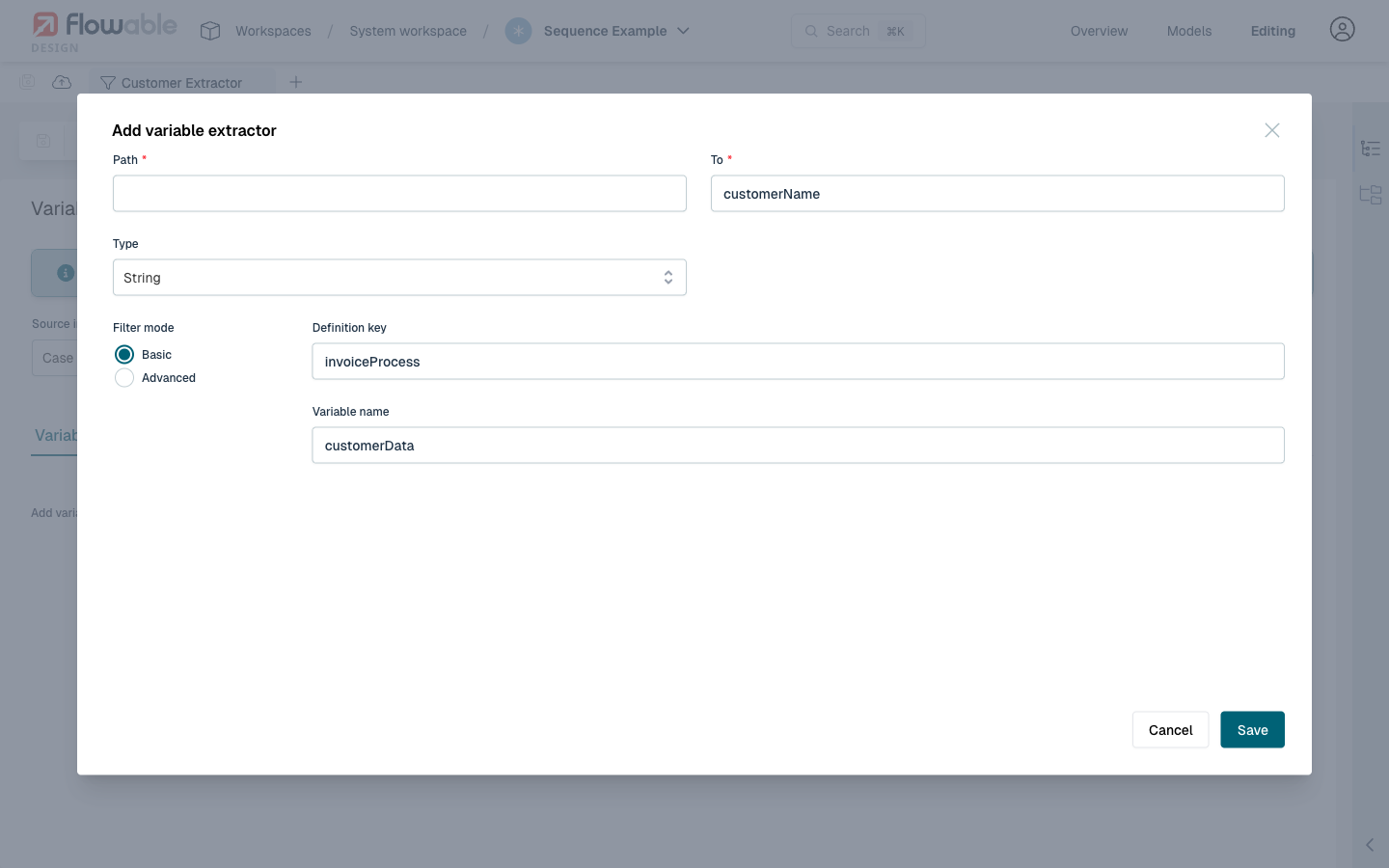
In this example, the variable customerData from the invoiceProcess definition is extracted into a custom field called customerName of type String. This field can then be used in search queries to filter or sort by customer name.
Example: Extracting Nested JSON Values
A common use case is extracting values from a JSON variable. For example, if a process stores a customer variable with the following JSON structure:
{
  "name": "Acme Corp",
  "email": "contact@acme.com",
  "address": {
    "city": "Zurich",
    "country": "Switzerland"
  }
}
You can create variable extractors to make the name and city searchable:
- Create a variable extractor with Source index set to Process instances
- Add a rule: Path =
name, To =customerName, Type = String, Variable name =customer - Add another rule: Path =
address.city, To =customerCity, Type = String, Variable name =customer
After deploying the app containing this variable extractor, the customerName and customerCity fields become available in the search index and can be used in query models or custom search queries.
Further Reading
- Variable Extractor Introduction for reference documentation on the JSON configuration format.
- Work Indexing - Extracting Variable Values for detailed developer documentation.