Camel Outbound Channel
The Camel outbound channel uses Apache Camel components to send events to systems that are not covered by the built-in channel implementations. The event is first serialized by the outbound pipeline and the resulting payload is then produced to a Camel endpoint.
The following Camel channel types are available out of the box:
- File - write files to a directory on the Flowable server
- FTP - write files to a remote FTP server
- SFTP - write files to a remote SFTP server
- SQL - execute an
INSERTorUPDATEstatement against a database - Azure Service Bus - send messages to an Azure Service Bus queue or topic
- Custom - provide a raw Camel endpoint URI for any other Camel component
See Enabling the Camel integration for the property and dependencies required to activate Camel channels.
Selecting a Camel channel type
In the channel model editor, set Inbound/Outbound to Outbound and the Implementation to Camel. A Type dropdown then appears in which the Camel channel type is selected.
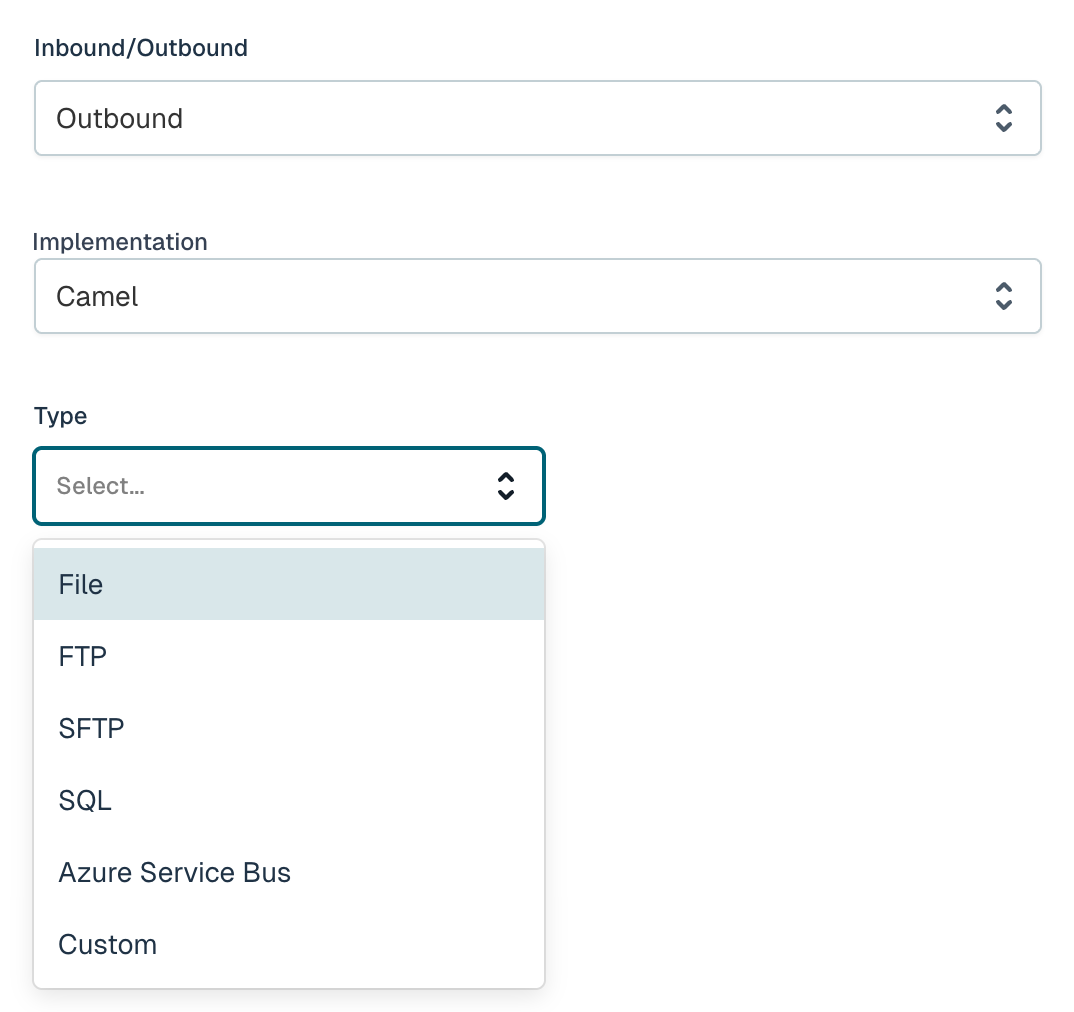
Selecting a type shows the fields that are relevant for that type. Behind the scenes, Flowable assembles a Camel producer endpoint URI from these fields in the form <type>:<address>?<option>=<value>&..., so every field maps directly onto a Camel endpoint option. Fields marked with a red asterisk (*) are required.
The event payload is serialized according to the format selected for the outbound channel (JSON, XML or Text). See the Outbound Channel reference for details on the serialization format.
File
Writes the serialized event to a file in a directory on the Flowable server.
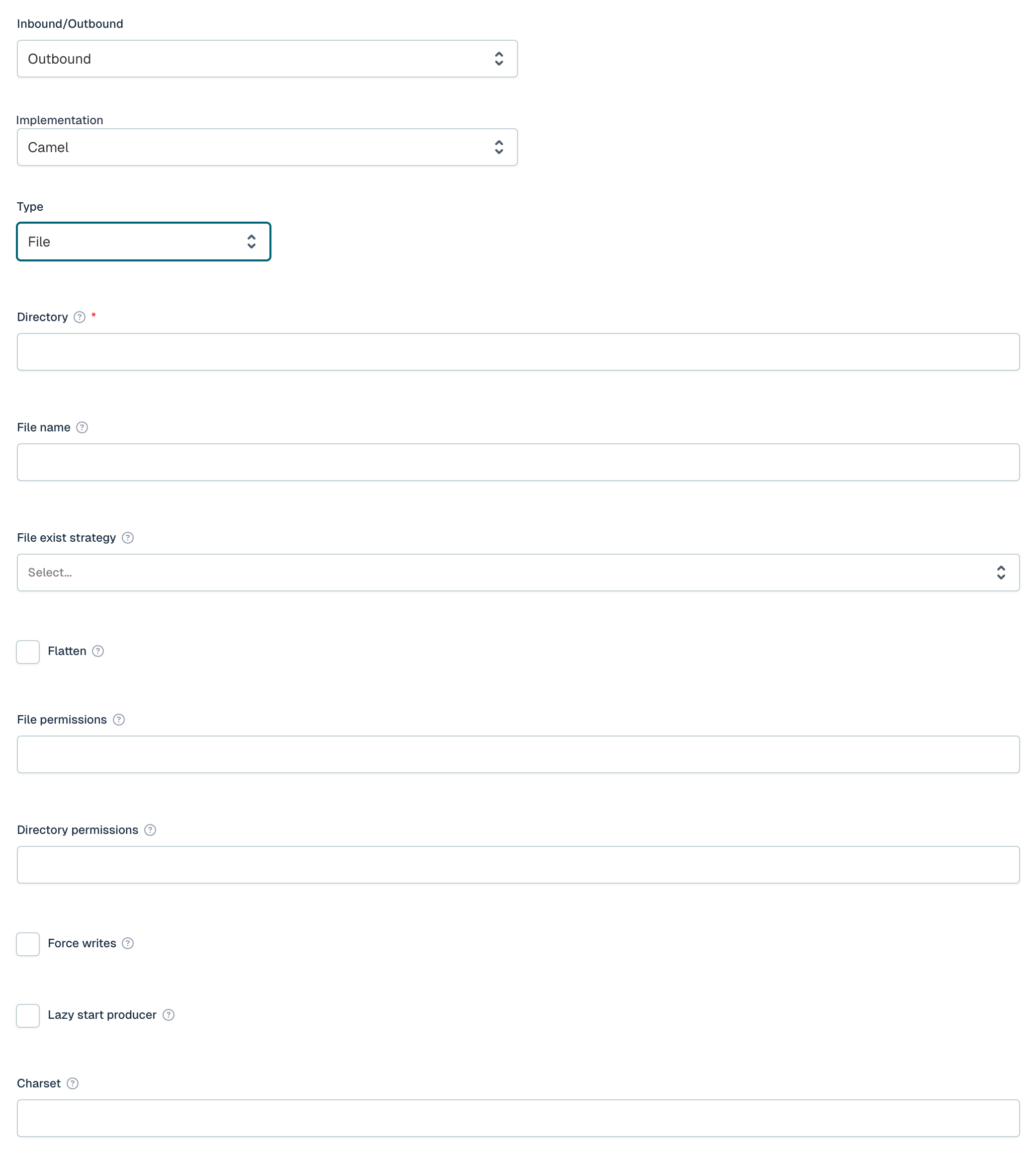
| Field | Required | Description |
|---|---|---|
| Directory | Yes | Directory path to write files to. |
| File name | No | Name of the output file. Supports Simple expressions, e.g. ${header.CamelFileName}. |
| File exist strategy | No | Strategy when the file already exists: Override, Append, Fail, Ignore, Move or TryRename. |
| Flatten | No | Strip leading paths from filenames. |
| File permissions | No | File permissions in octal format (000-777). |
| Directory permissions | No | Directory permissions for auto-created folders in octal format (000-777). |
| Force writes | No | Sync to filesystem after writing. |
| Lazy start producer | No | Defer producer startup until the first message. |
| Charset | No | Encoding for file write. |
FTP
Writes the serialized event to a file on a remote FTP server.
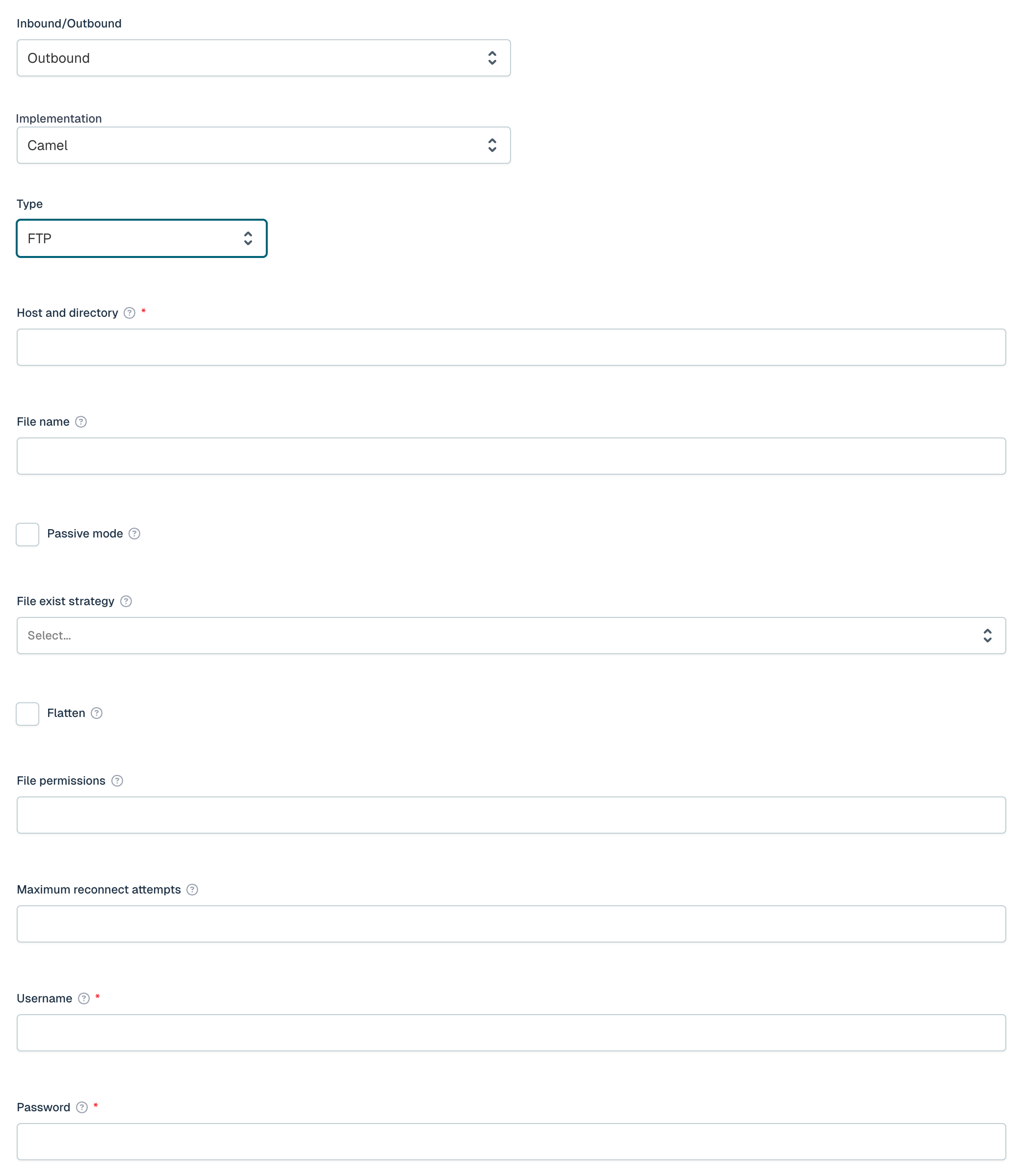
| Field | Required | Description |
|---|---|---|
| Host and directory | Yes | FTP server address in the format host:port/directory. |
| File name | No | Name of the output file. Supports Simple expressions, e.g. ${header.CamelFileName}. |
| Passive mode | No | Use passive mode for FTP data transfers. |
| File exist strategy | No | Strategy when the file already exists: Override, Append, Fail, Ignore, Move or TryRename. |
| Flatten | No | Strip leading paths from filenames. |
| File permissions | No | File permissions in octal format (000-777). |
| Maximum reconnect attempts | No | Maximum reconnect attempts when connecting to the remote FTP server. Use 0 to disable. |
| Username | Yes | Username for FTP authentication. |
| Password | Yes | Password for FTP authentication. |
SFTP
Writes the serialized event to a file on a remote SFTP server. Supports both password and private-key based authentication.
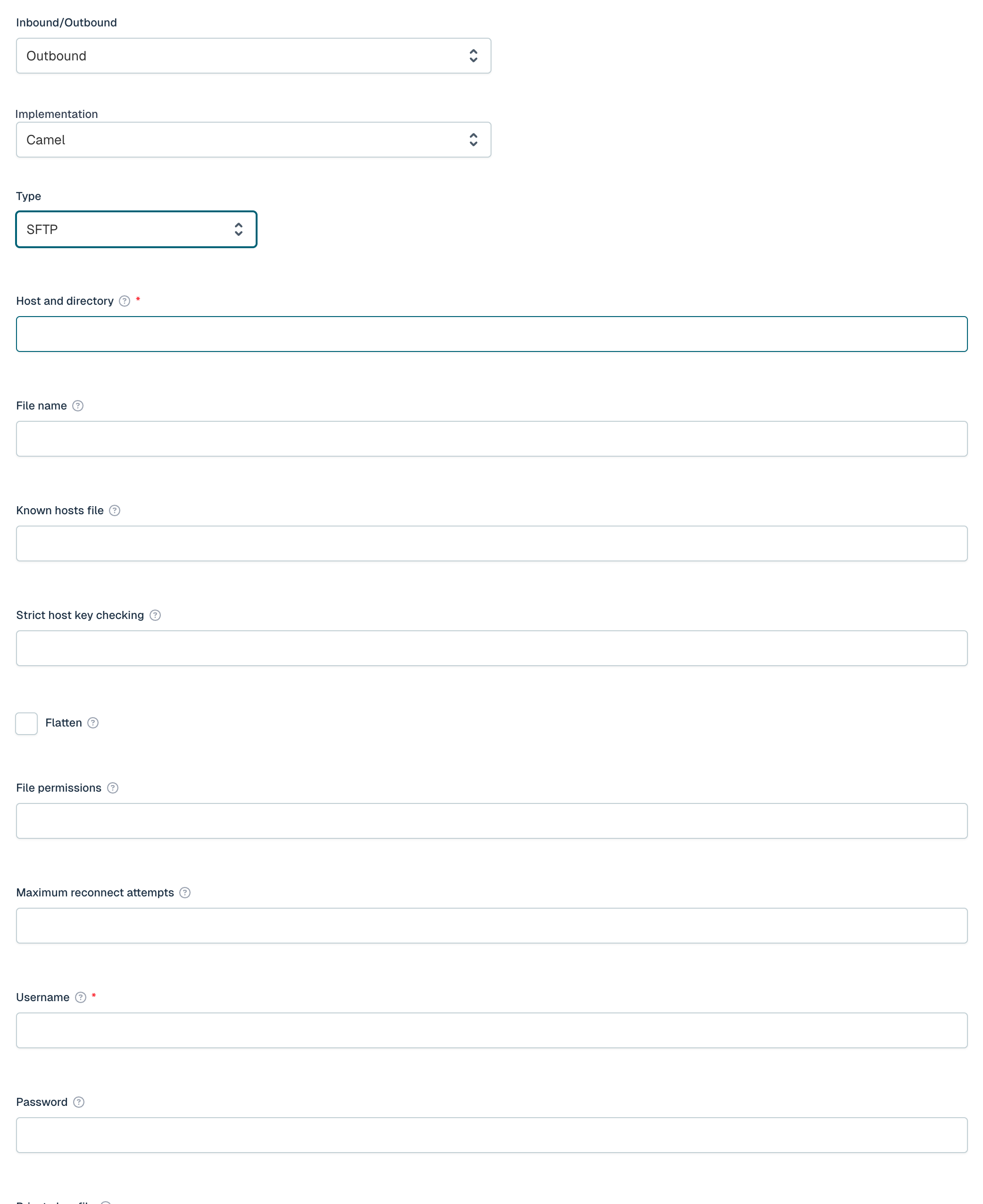
| Field | Required | Description |
|---|---|---|
| Host and directory | Yes | SFTP server address in the format host:port/directory. |
| File name | No | Name of the output file. Supports Simple expressions, e.g. ${header.CamelFileName}. |
| Known hosts file | No | Path to the known_hosts file for host key verification. |
| Strict host key checking | No | Host key checking mode: yes, no, or ask. |
| Flatten | No | Strip leading paths from filenames. |
| File permissions | No | File permissions in octal format (000-777). |
| Maximum reconnect attempts | No | Maximum reconnect attempts when connecting to the remote SFTP server. Use 0 to disable. |
| Username | Yes | Username for SFTP authentication. |
| Password | No | Password for SFTP authentication. |
| Private key file | No | Path to the private key file for key-based authentication. |
| Private key passphrase | No | Passphrase for the private key file. |
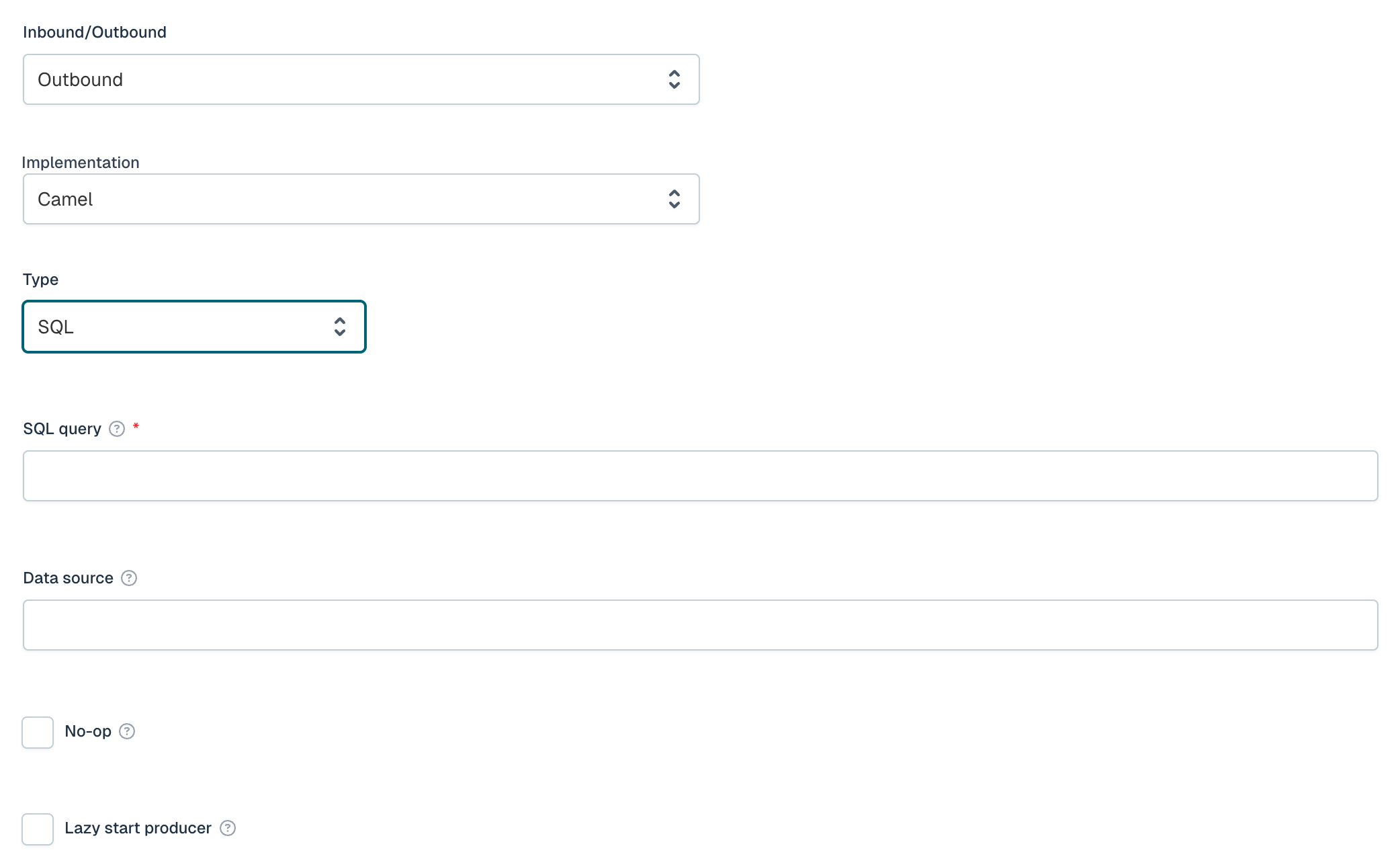
SQL
Executes an INSERT or UPDATE statement against a database, using the serialized event to provide the parameter values.
| Field | Required | Description |
|---|---|---|
| SQL query | Yes | SQL INSERT or UPDATE query, e.g. INSERT INTO events(name, value) VALUES(:#name, :#value). |
| Data source | No | Spring bean reference for the data source, e.g. #dataSource. |
| No-op | No | If set, the result of the SQL query is ignored and the existing message is used for the continuation of processing. |
| Lazy start producer | No | Defer producer startup until the first message. |
Azure Service Bus
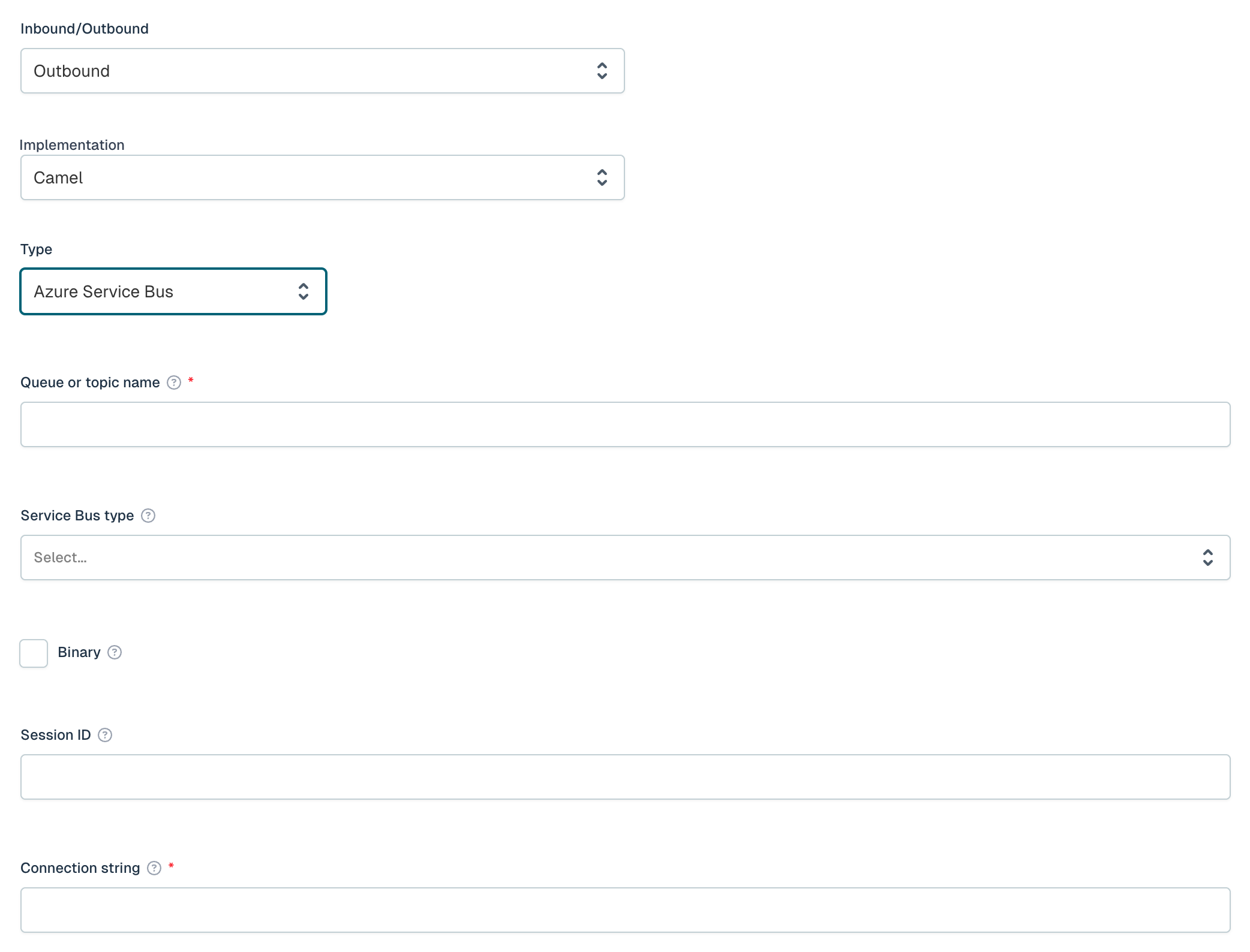
Sends the serialized event to an Azure Service Bus queue or topic. Flowable ships a lightweight Azure Service Bus component that communicates over AMQP 1.0, so the full Azure SDK is not required.
| Field | Required | Description |
|---|---|---|
| Queue or topic name | Yes | The name of the Azure Service Bus queue or topic. |
| Service Bus type | No | Whether to send to a queue or a topic (Queue or Topic). |
| Binary | No | Set binary mode. If true, the message body is sent as bytes. Defaults to false. |
| Session ID | No | Session ID for session-enabled queues or topics. |
| Connection string | Yes | The connection string for the Azure Service Bus namespace. |
Custom destination
If the channel type you need is not in the list, select Custom and provide the full Camel endpoint URI in the Destination field (e.g. file:/path/to/dir or mock:myEndpoint). The event payload is then produced to that endpoint directly, allowing any Camel component available on the classpath to be used.