Testing Action Models
Introduction
Flowable Design lets you try out an action model directly in the editor, before it is published, by invoking it with a payload and inspecting what it returns. This is a quick way to check that a scripting-based (or other) action behaves as intended without having to embed it in a process or case first.
Unlike process, case, service and agent tests, action testing is a lightweight, ad-hoc invoke: you run the action once with an input payload and look at the result. It does not use the shared test set concepts, so action tests are not stored, exported or published — they are a design-time convenience.
Preconditions
An action is executed on a connected Flowable Work runtime, so testing has to be enabled on both sides:
# Flowable Design
flowable.design.action.enable-action-test=true
flowable.design.remote.idm-url= # URL to Flowable Work, e.g. http://localhost:8090

# Flowable Work
flowable.action.enable-action-test=true
See Setting up Flowable Inspect testing for the remote-connection details (the flowable.design.remote.* properties) that these tests rely on.
Running an action test
Open the action model and select the Test tab.
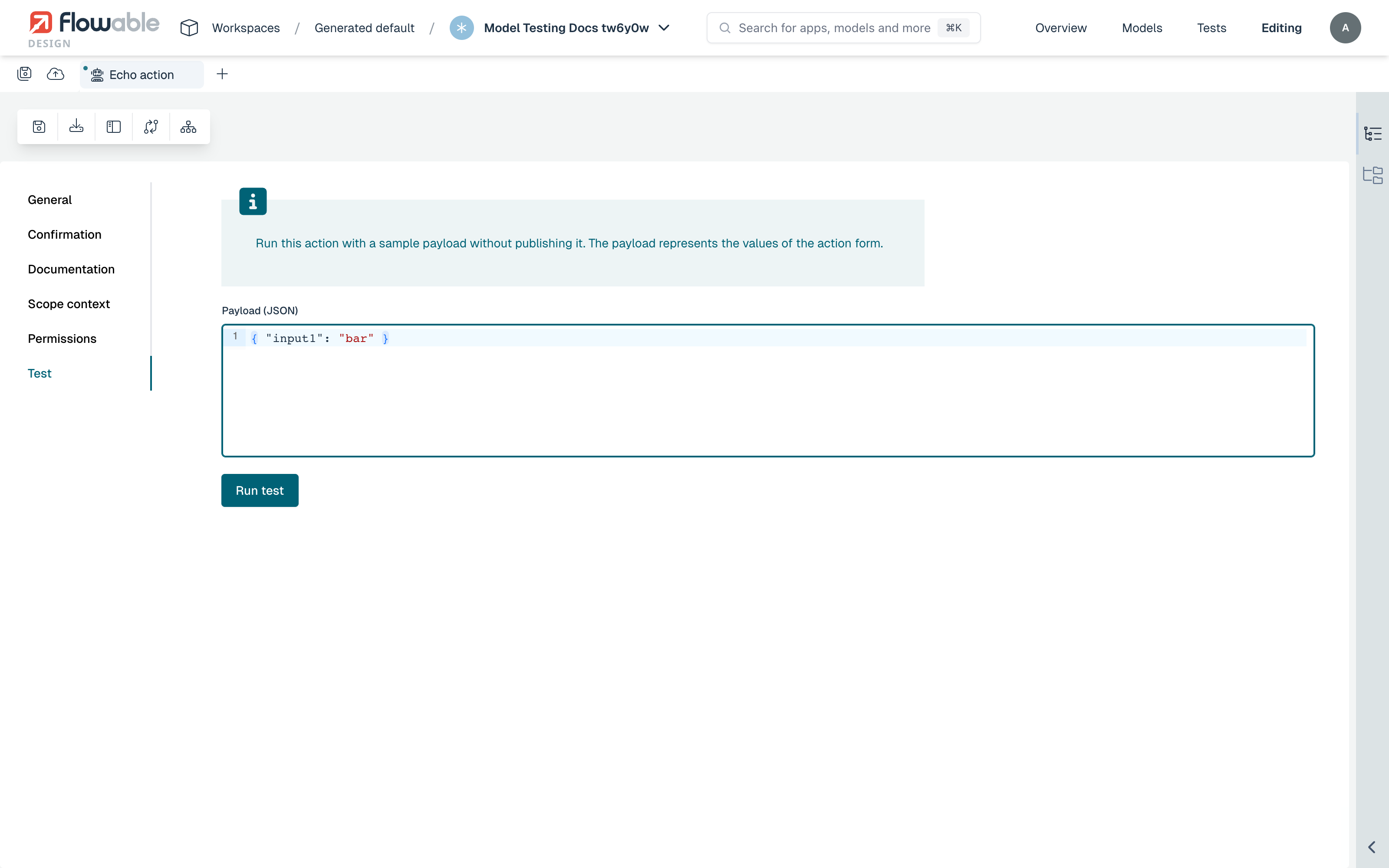
Enter the input for the action in the Payload (JSON) editor. The payload must be a valid JSON object; if it is not, an inline message (The payload must be a valid JSON object) is shown and the run is blocked. When the payload is ready, choose Run test.
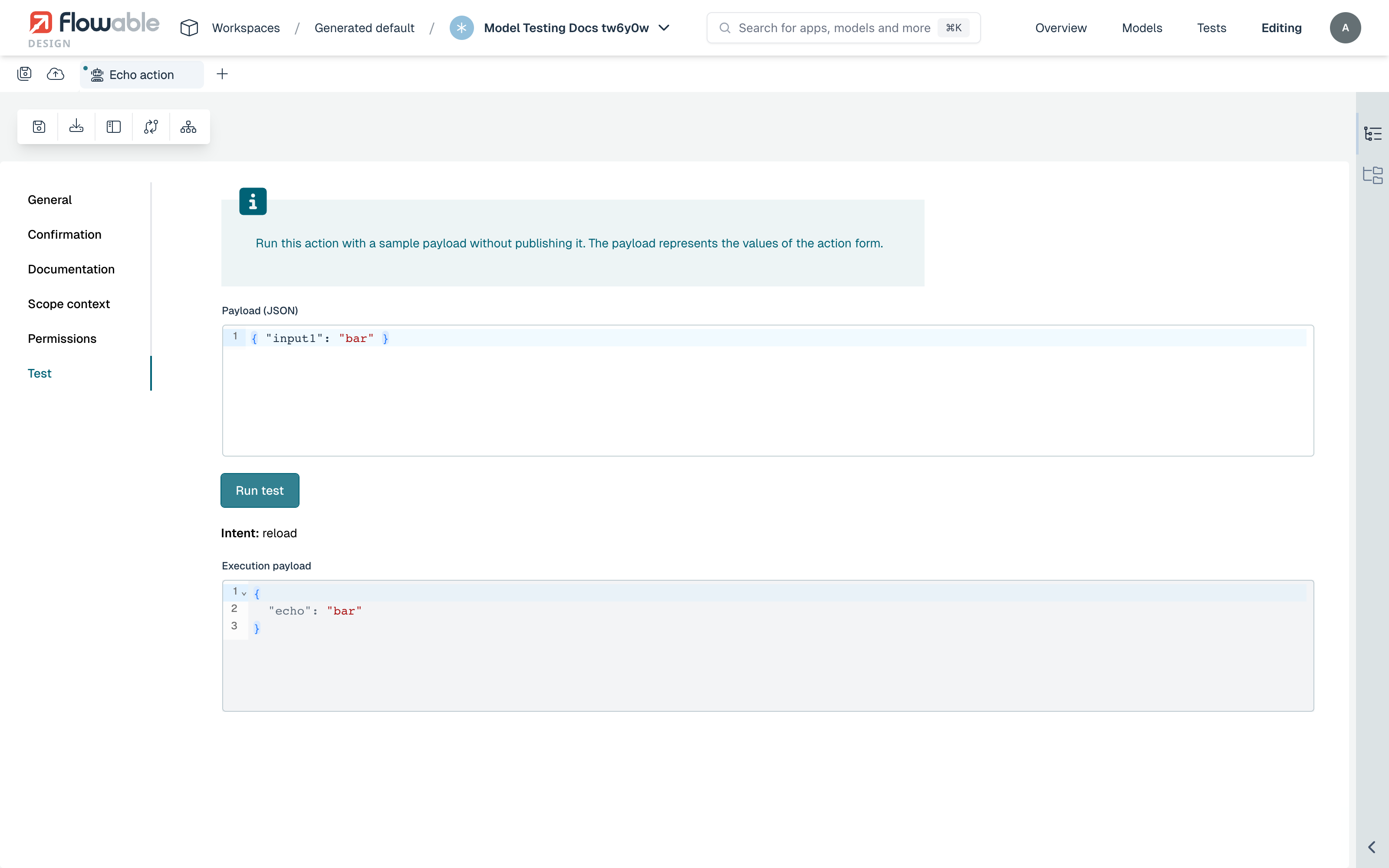
The action is invoked on Flowable Work and its result is displayed:
- Intent — the intent the action returned (for example
reload), which tells the calling UI what to do next. - Execution payload — the output payload produced by the action, shown read-only.
 warning
Running the test executes the action for real on the connected runtime. If the action has side effects — writing data, calling an external system — those effects happen. Only run actions whose effects you are comfortable triggering.