Setup IDM for Entra ID
This guide describes how to set up the Identity Management (IDM) for Flowable Cloud Dedicated using Microsoft Entra ID. It shows how to setup an App Registration with appropriate permissions to Graph API to gather lists of Entra ID users and groups.
We suggest to create a dedicated App Registration for Flowable IDM access that is separate from the SSO App Registration. This allows to have more fine-grained control about the Graph API permissions needed for each use case. Also, the App Registration for the IDM can be shared across all Flowable applications and environments.
 note
noteUnlike SSO, where separate app registrations are required for each environment, IDM only requires one app registration, which is shared by all environments.
- Open Microsoft Entra admin center (https://entra.microsoft.com) or the "Microsoft Entra ID" service in the Azure Portal (https://portal.azure.com)
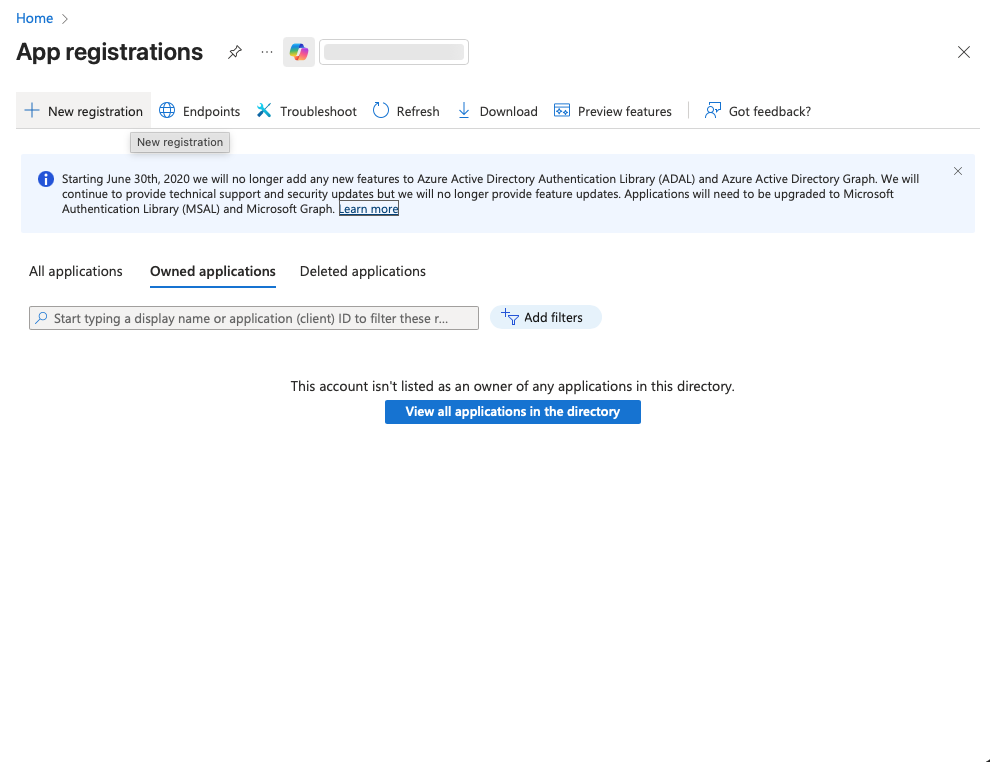
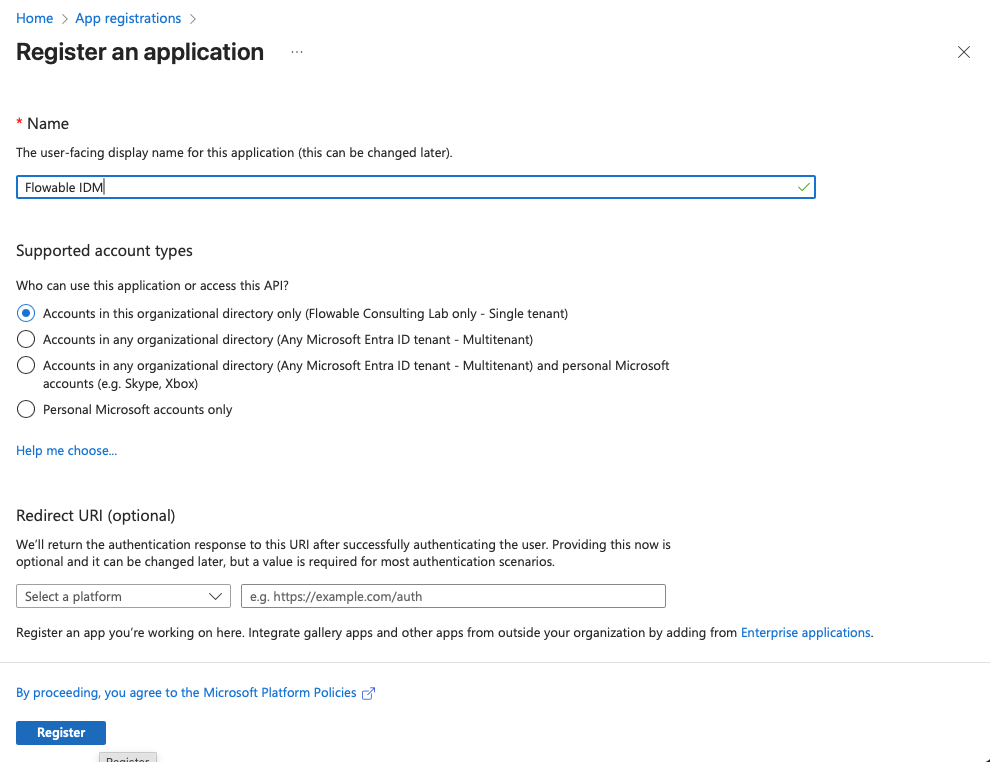
- Go to "App registrations" → "New registration". Create a new registration for Flowable IDM. Choose a name for the registration (e.g.
Flowable IDM). Redirect URI can be left empty and will not be needed. Click "Register".
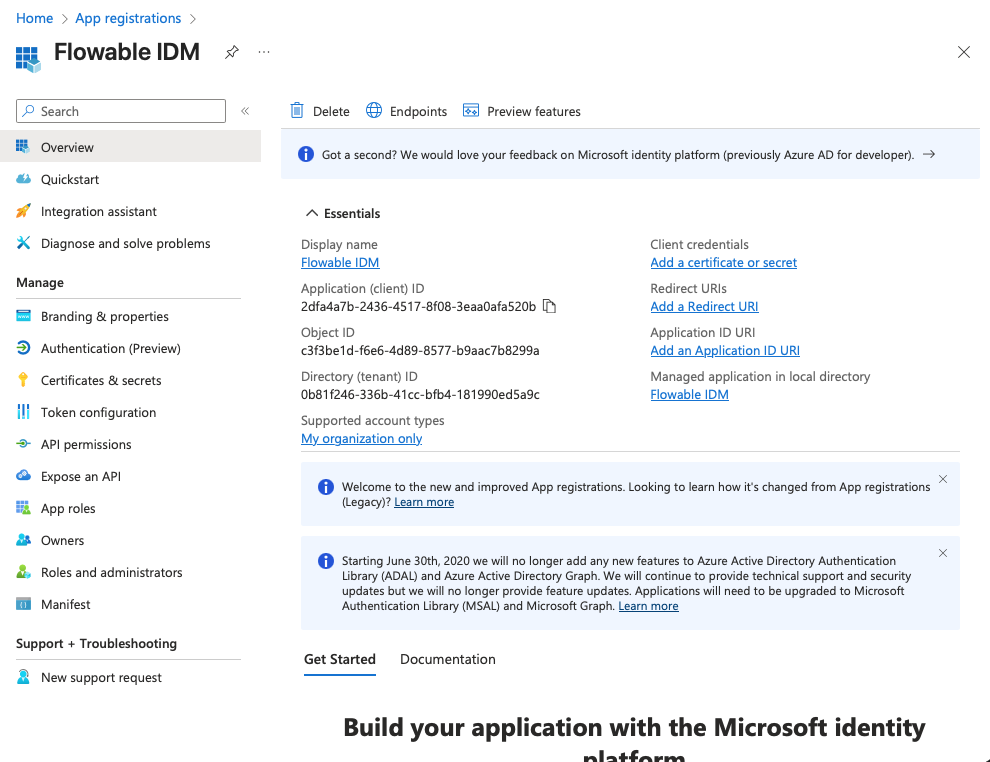
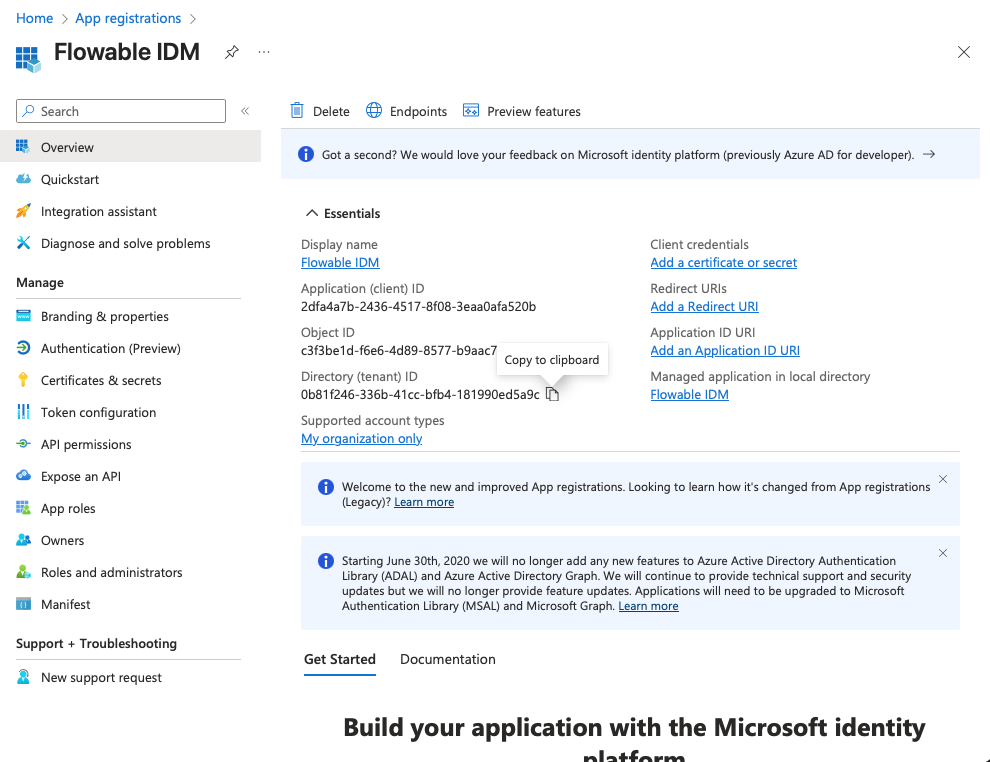
- Copy the Client ID (Application ID) and the Tenant ID from the "Overview" page to a text editor for later use.
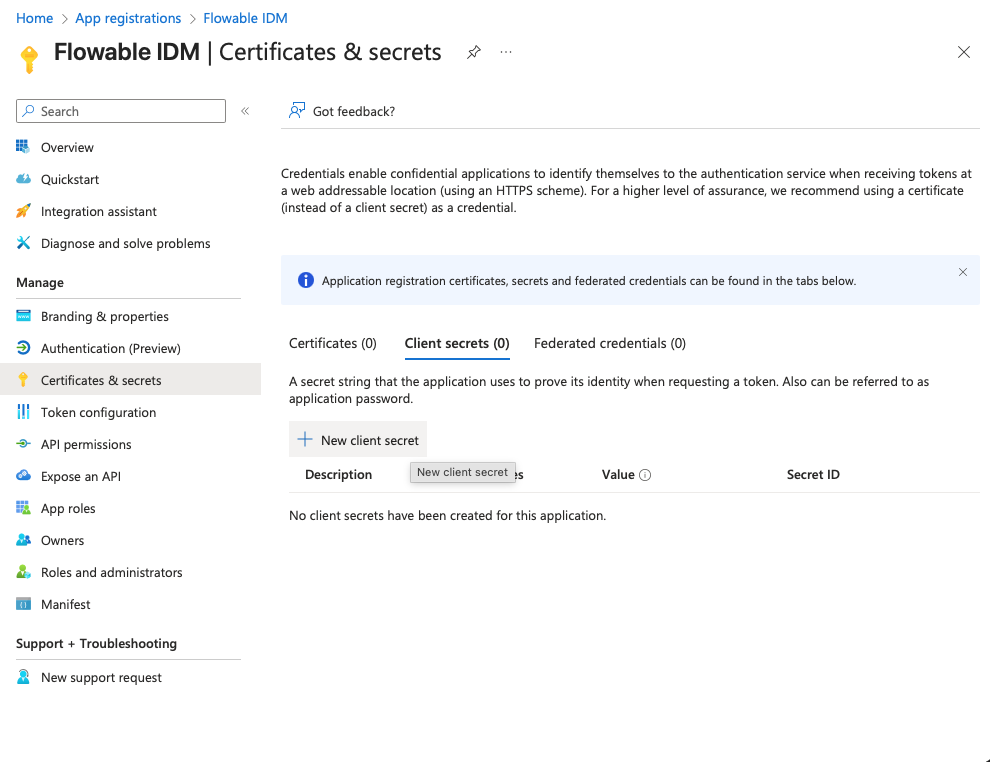
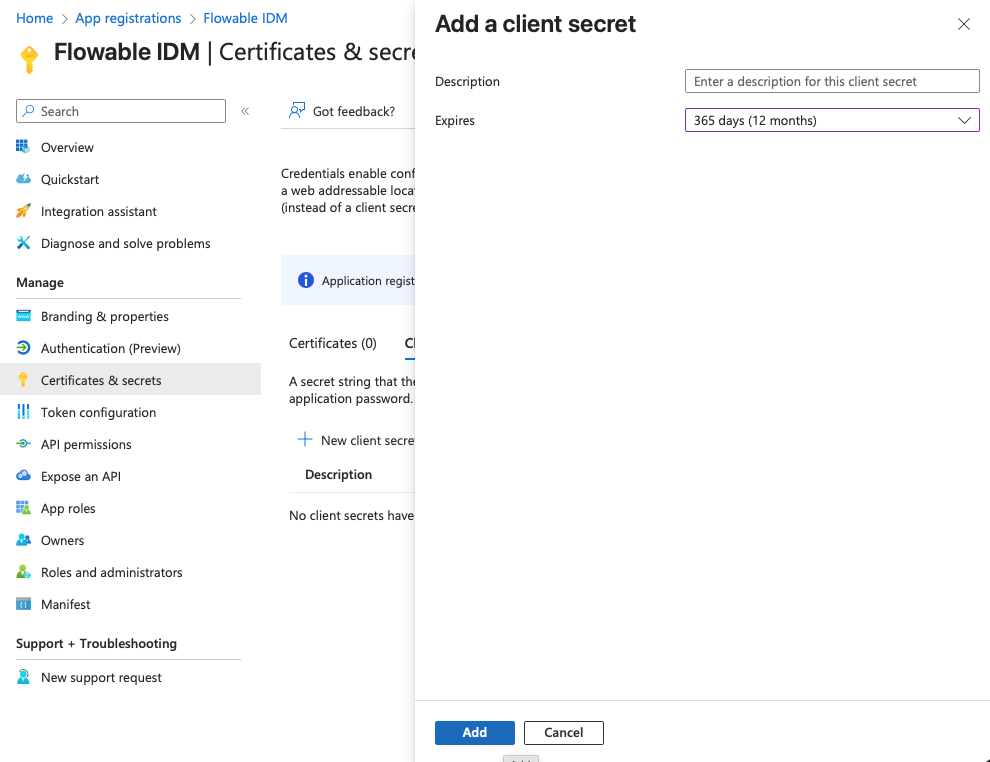
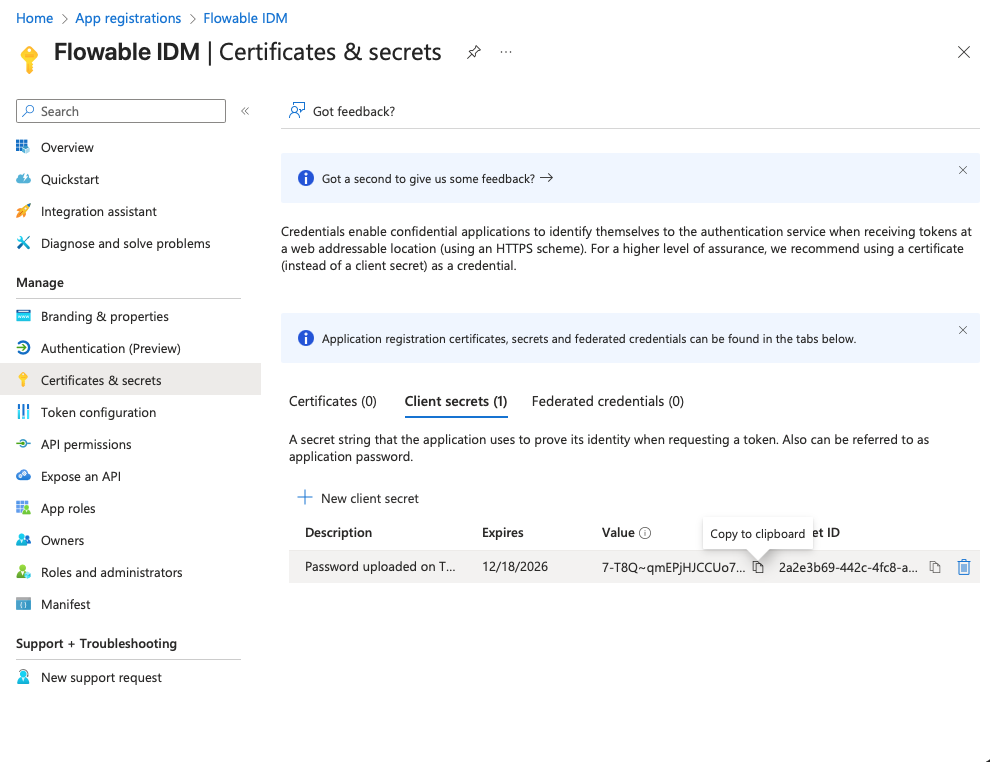
- Navigate to "Certificates & secrets" and create a client secret by clicking "New client secret". Copy the secret value to a text editor for later use (it will become invisible after you leave the page).
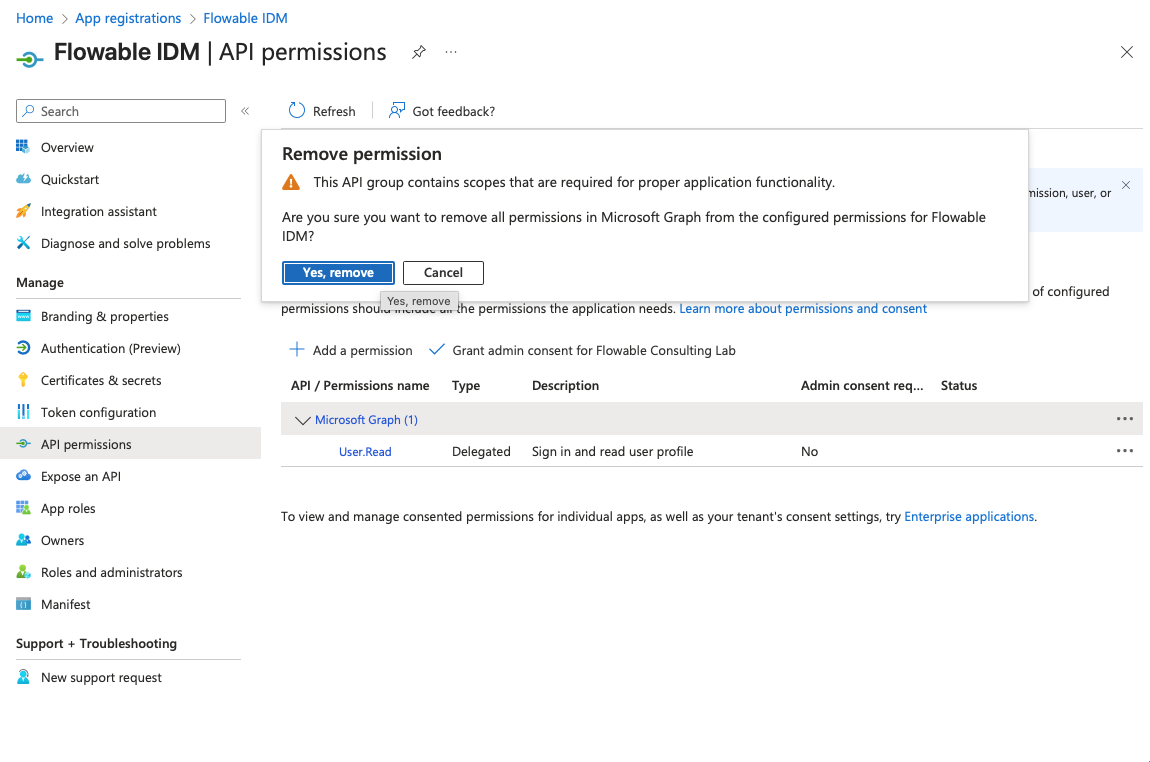
- Navigate to "API permissions" and remove all default permissions by selecting them and clicking "Remove permission" or clicking "Remove all permissions" (hidden in the
...menus) and approve this with "Yes, remove".
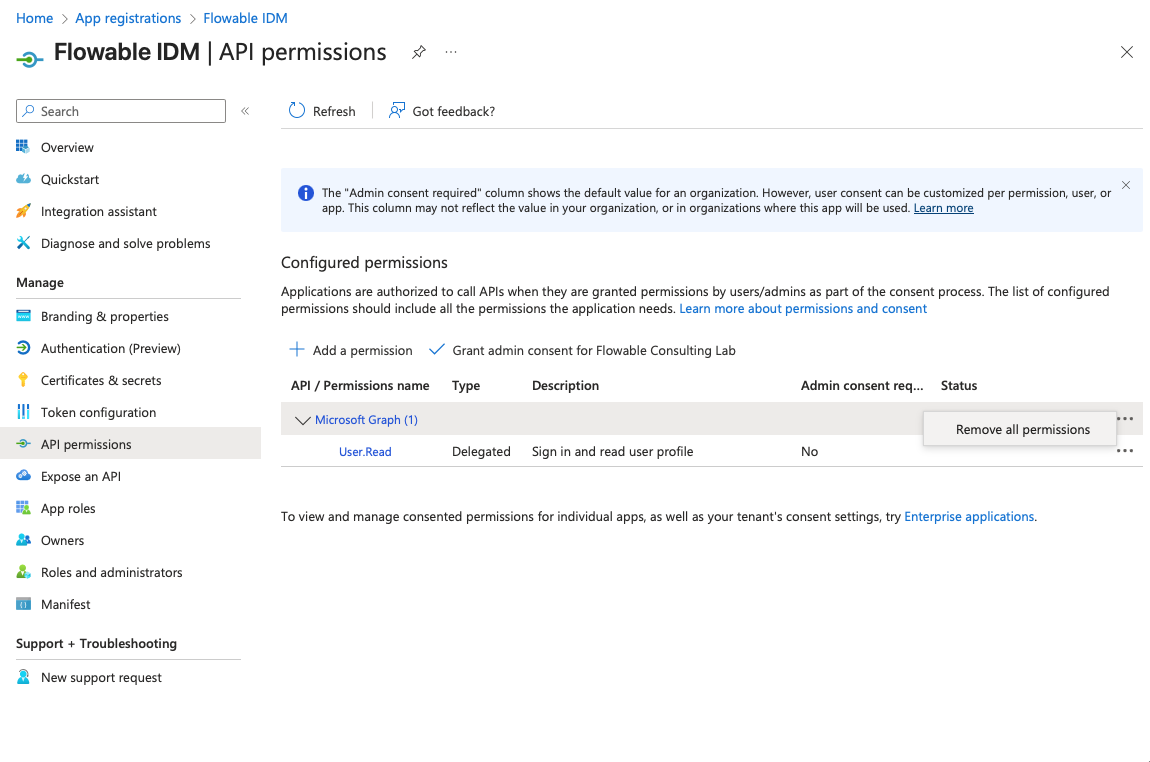
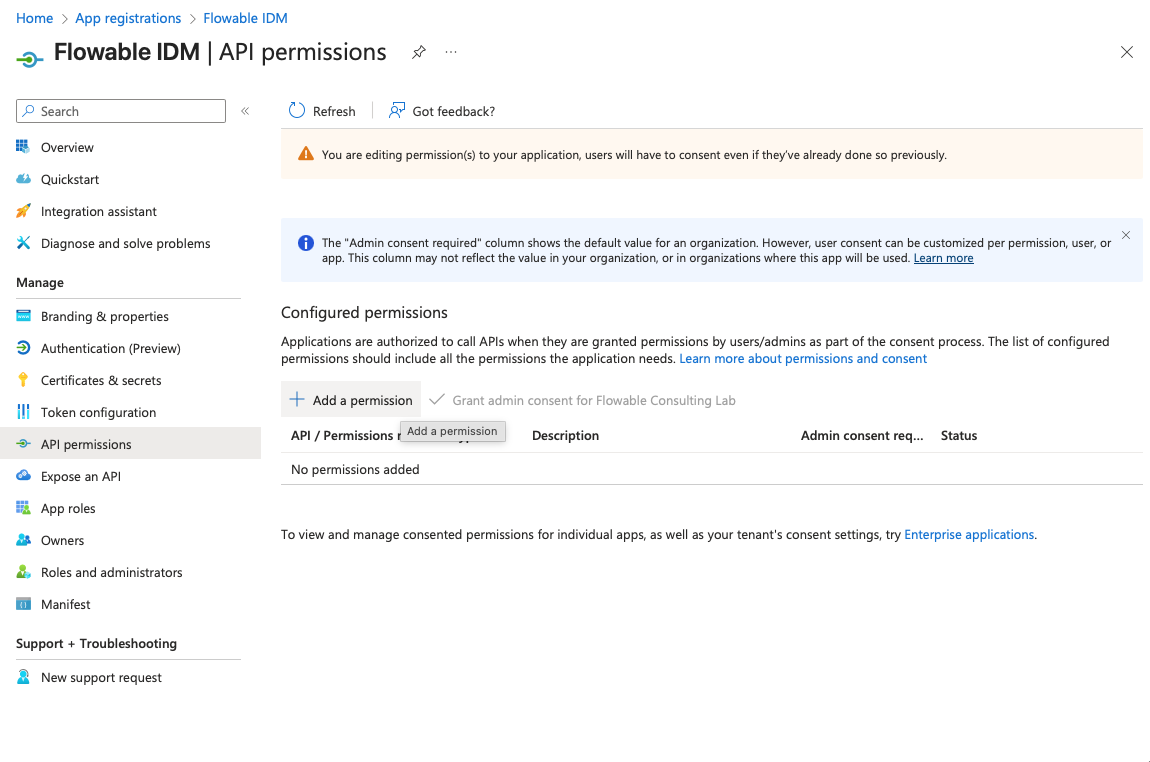
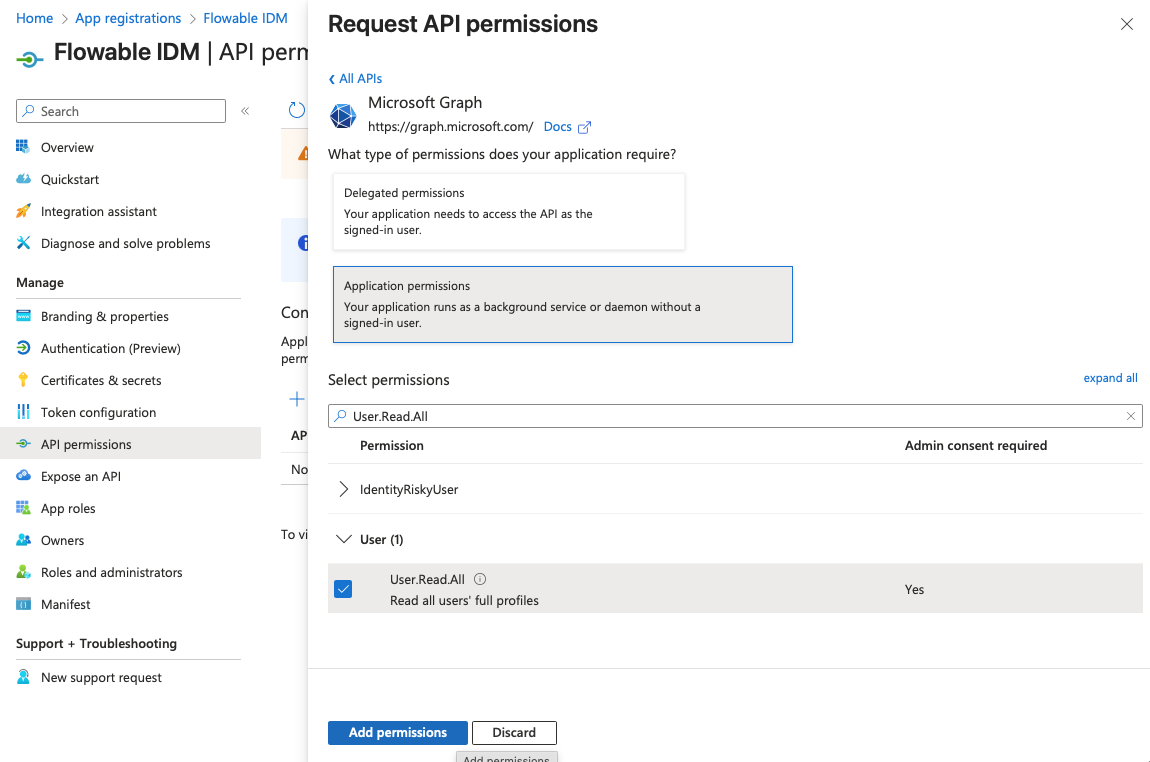
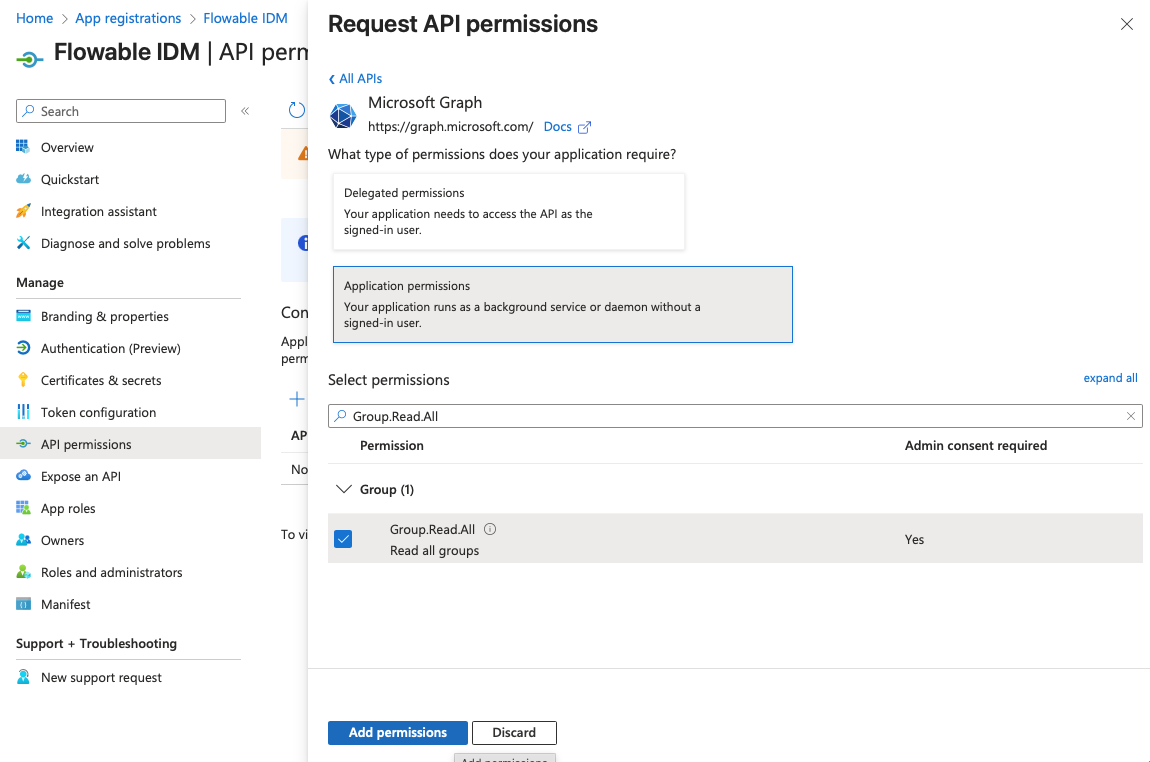
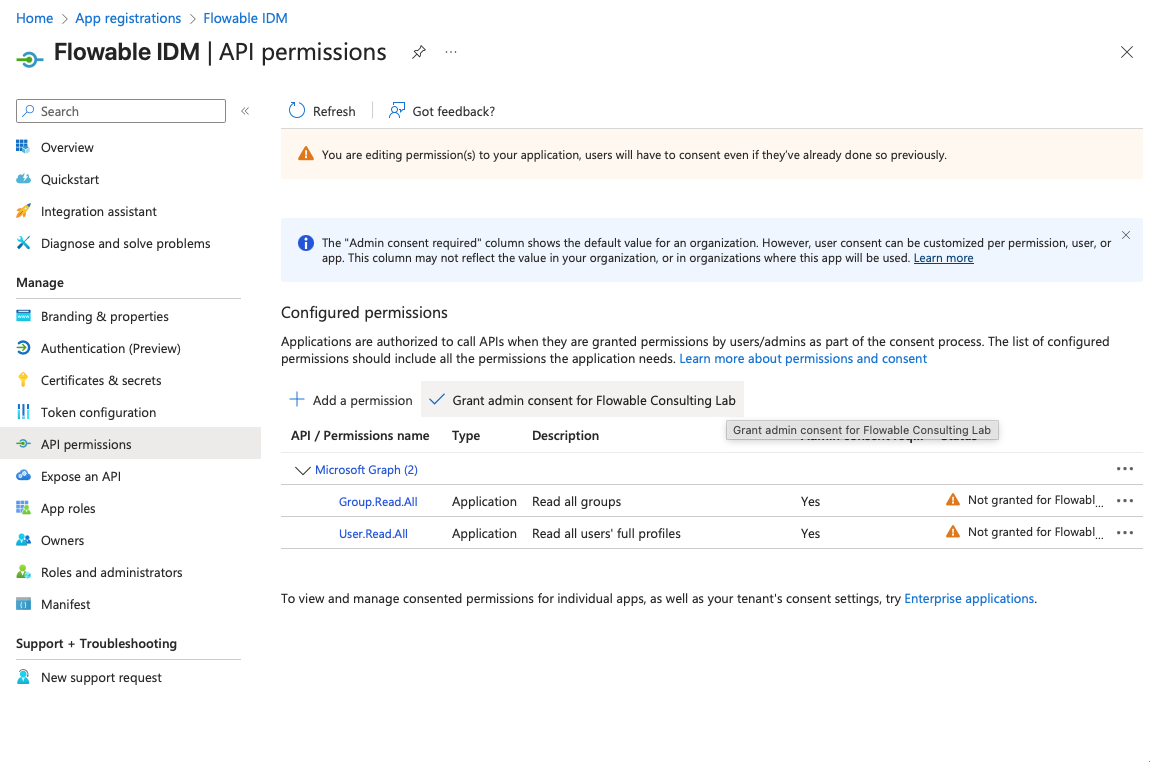
- Click "Add a permission". Choose "Microsoft Graph" as API and "Application permissions" as type. Search and add the following permissions:
- User.Read.All
- Group.Read.All
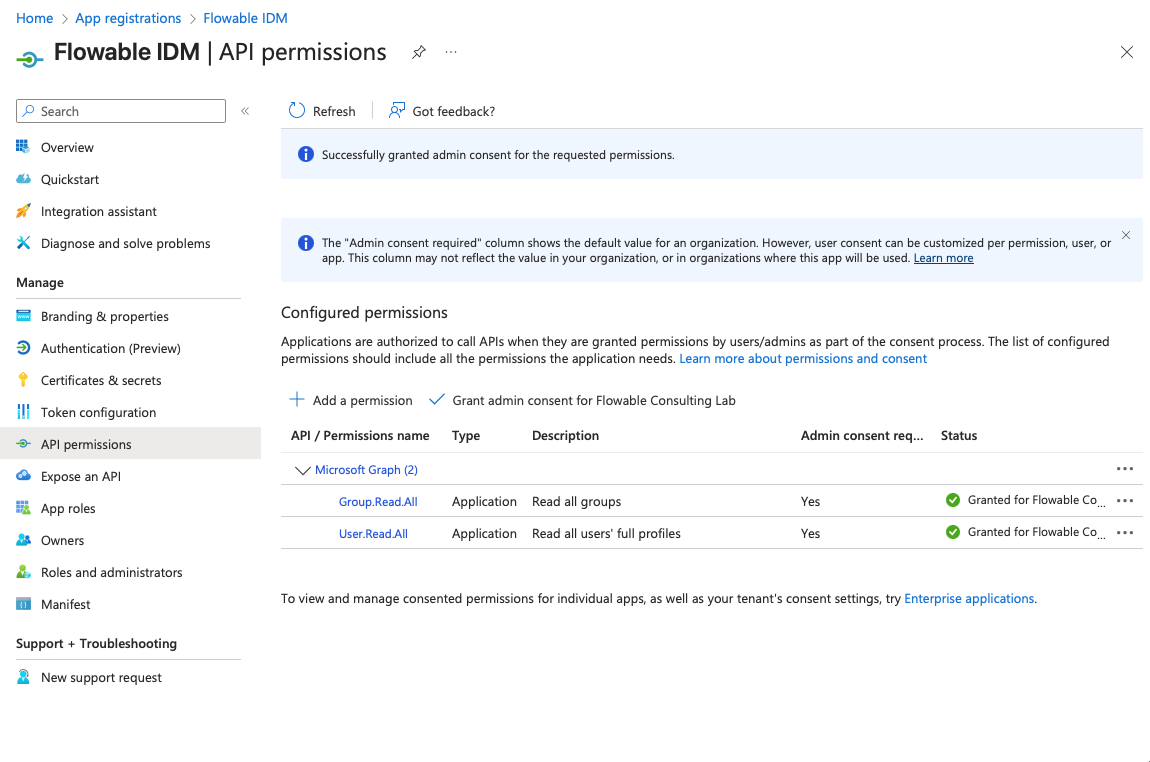
- After adding the permissions, click "Grant admin consent for [Your Tenant]" and approve by clicking "Yes".
 warning
To be able to grant admin consent, you need to have appropriate permissions in your Entra ID tenant. If you don't have these permissions, please contact your Entra ID administrator to grant the needed permissions or to execute the steps above for you. You are allowing the App Registration to read all users and groups in your Entra ID tenant by granting these permissions. This is needed for Flowable to be able to get the list of users and groups from the Entra ID tenant.
What to send to Flowable?
After completing the steps above, please send the following information to Flowable Support to configure the IDM for your Flowable Cloud Dedicated environment:
- Tenant ID (Directory ID)
- Client ID (Application ID)
- Client Secret Value (not the secret id)